
Ozil Goal AI Video Generator
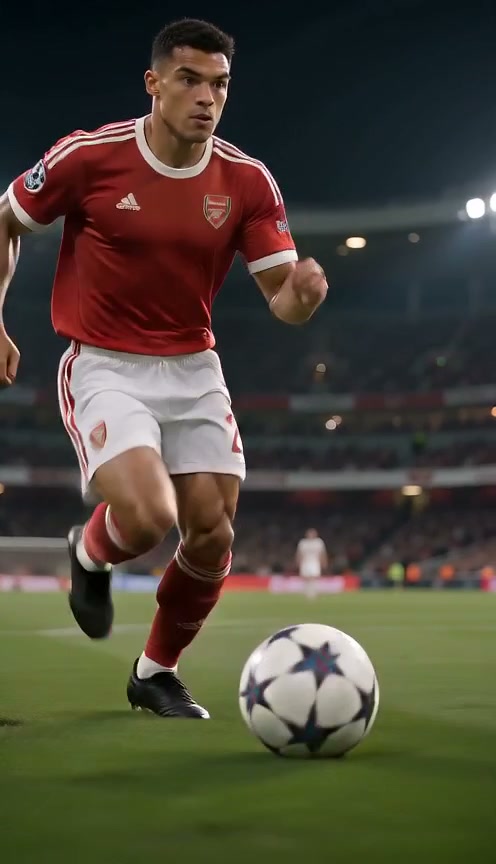
One photo. Your football moment. Create a 5, 10 or 15-second Ozil goal AI video in a vertical stadium scene, with your own character leading the action.
The short answer
Ozil goal AI turns one photo into a vertical football clip: a chip over the goalkeeper, a quick dodge past the defence and a calm finish. Upload your photo, pick a length and resolution, and review the credit quote. There is no prompt to write and nothing to edit. Your finished video is ready to preview and download from History.
What is the Ozil goal AI trend?
The trend starts with a real goal. In November 2016, during a Champions League match between Arsenal and Ludogorets, Mesut Ozil chipped the onrushing goalkeeper, let two sliding defenders go past him and then rolled the ball into the empty net. Football fans have replayed that calm finish for years, and in October 2026 it became the template for a viral TikTok format.
The twist is the scorer. Creators put an unexpected character into that same goal: a blocky, pixel-style game villager, a grandmother in a headscarf, an uncle in a smart vest or a cartoon-style hero. The joke works because the character looks completely out of place in a professional stadium, yet still pulls off the chip, the dodge and the finish.
The Ozil goal AI generator lets you join the trend with your own photo. Instead of editing real match footage, it creates an original AI stadium scene in which the person and outfit from your photo become the scorer. It is not a recording of any real game.
This is an independent creative tool. It is not affiliated with Mesut Ozil, any club or any competition, and it does not use real match footage.
How to make your Ozil goal AI video
- Upload a clear photo of one person to the Ozil goal AI generator. Pick a visible face, ideally showing head to toe, as a JPEG, PNG or WebP file up to 10 MB.
- Set the clip length and video quality, then check the credit quote. Sign in and select Create video when everything looks right.
- Open History to follow progress, then preview and download your Ozil goal video.
Use photos and music you have permission to use. Photo clarity and output quality vary.
What happens in your Ozil goal AI video?
Your photo supplies the scorer; the scene supplies everything else. The generator is built for one main character, so you do not need extra images for the goalkeeper, the defenders or the crowd. The clip follows the shape of the original moment: a chip over the keeper, a quick change of direction around the defence and a composed finish.
Those three beats give the clip a clear beginning, middle and end. The default 15 seconds leaves room for the whole sequence, while a shorter length focuses on a quicker burst of action. Every version is framed in vertical 9:16, the way most people watch football clips on a phone.
Which photo works best for an Ozil goal video?
Use one clearly visible subject in a JPEG, PNG or WebP image up to 10 MB. A full-body photo is the strongest choice because the action includes running, ball control and a shot. Keep the head, clothing, legs and shoes in the frame when possible, and choose a clean background so the main character is easy to identify.
If you only have a portrait, choose a clear face with even lighting and some space around the head and shoulders. Avoid group pictures with several equally prominent people. Making the intended character obvious before you upload is the simplest way to make an Ozil goal AI video that looks clean.
Choose a photo you have permission to animate and check the upload preview before continuing. If you pick another image, the workspace lets you update your choice before submission.
Which Ozil goal AI video settings should you choose?
Every clip is vertical 9:16, and you choose the length: 5 seconds, 10 seconds or the default 15 seconds. Pick 480p for a quick draft, or 720p or 1080p when you want more detail for sharing. The aspect ratio stays fixed.
The credit quote changes with the length and resolution you pick and is shown before you create your video. Browsing the page and preparing an upload do not start a generation. Sign in to use your account credits, check the displayed amount and choose Create video when you are ready. If you need credits, review the purchase options and return to your saved setup afterward.
Your Ozil goal AI video keeps processing in the background once a task is accepted. Open History under the same account to follow its status, preview the finished clip and download it. If a technical failure ends the task, the held credits are returned according to the service’s task rules.
Ozil goal video ideas: who should score?
Most viral versions of the Ozil goal trend rely on contrast: the less the scorer looks like a footballer, the funnier the chip and the finish feel. Here are the ideas people copy most often, and the kind of photo that suits each one.
Grandma: a full-body photo of an older relative in everyday clothes, such as a cardigan, a headscarf or house slippers, makes the athletic finish feel delightfully unexpected. Ask for permission first and pick a well-lit shot where her face is clear.
Uncle in a vest: a smart waistcoat, a pressed shirt and formal trousers turn the clip into a family-party legend. Choose a standing photo that shows the whole outfit from head to shoes.
Game-style villager: wear a plain robe or tunic in simple blocky colours, or a homemade cardboard costume, and photograph yourself standing straight against a plain wall. The pixel-game look comes from your costume and pose, so keep the outfit simple and bold.
Cartoon-style outfit or office worker: a bright costume, a mascot-style outfit or a suit and lanyard straight from the office all create strong contrast with the stadium. Choose one clear subject so your scorer is easy to follow.
Ozil goal AI video examples
Your own football goal moment
Frequently asked questions
Can I make an Ozil goal AI video with my photo?
Yes. Upload one clear photo of a single person. An image that shows the whole body works best for the football action, and your selected photo stays in the workspace while you adjust the settings.
Do I need a CapCut template or a prompt?
No. This generator has its own creation workspace, so you do not need to install CapCut or assemble a template. The scene is already prepared and there is no prompt field to fill in: choose your photo and settings, then review the quote.
Is this real Ozil match footage, and is it affiliated with Mesut Ozil?
No. Every clip is an original AI-generated scene created from your photo, not footage from a real match. This is an independent creative tool and is not affiliated with, endorsed by or connected to Mesut Ozil, any club or any competition.
Is the Ozil goal AI generator free?
Creating a video uses account credits. You can review the settings and the credit quote before submitting a task; the quote depends on how long and how sharp the clip is. Opening the page or watching an example does not use credits.
What do I get when the video is finished?
You get a vertical 9:16 AI football clip at the settings you selected. When your Ozil goal AI video is complete, open History to preview it and download the finished file.
Related scenes
Create your Ozil goal AI video
Choose one clear photo, step into the stadium and score the goal everyone is copying. Your Ozil goal moment starts with your photo.