
AI Dance Generator: Make a Photo Dance
Use the AI dance generator for a solo performance or a photo dance video with your duo.
The short answer
An AI dance generator turns still subjects into a moving performance. To make a photo dance, start with a clear portrait and choose Dance. A photo dance video can feature one person; a duet dance video needs two distinct subjects with room to move. This AI dance generator creates restrained steps and natural arm movements from your photos.
Make a photo dance with one or two subjects
The single photo dance video focuses on one recognizable performer. For a duet dance video, use two separate portraits or a pair photo with both faces clearly visible. The Dance preset is a general performance concept, with coordinated steps and balanced framing. It does not reproduce Hotel Lobby choreography or include a licensed song.
To make a photo dance that feels natural, keep the planned movement modest. A photo dance video with a simple step and a turn gives faces more time on screen than a rapid routine. Choose a solo dance for one portrait, or describe matching movement for a duet dance video.
Choose dance photos with room to move
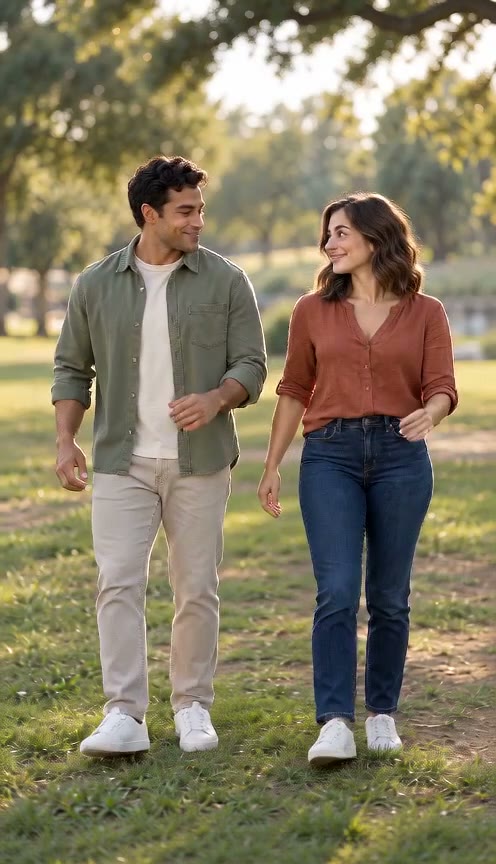
For a single photo dance video, choose a well-lit subject with visible shoulders and an uncluttered outline. For a photo dance video with two performers, avoid faces hidden by hands or cropped at the edge. Full-body dance photos help describe posture and give the AI dance generator visible legs and feet to work with.
This AI dance generator accepts single portraits, two photos or a pair photo. A single photo dance video needs one image; two portraits keep the duo separate. Before sharing your dance animation, check facial detail, clothing and whether both performers remain distinct.
Plan a solo dance or a duet for your occasion
A photo dance video can be planned as a birthday greeting, a playful invitation or a short clip featuring your duo. Decide who should be the focus before choosing the photos. For a single photo dance video, one recognizable face and a clear outline are more useful than a busy group picture. For a duet dance video, select portraits where the subjects are shown at a similar scale. Choose photos with only the intended performers clearly visible; a group picture can make the intended face harder to identify.
To make a photo dance suited to a small screen, leave space around the planned performers rather than framing only their faces. A vertical composition can suit a solo dance, while a wider frame can leave room between two subjects. These choices affect framing in this AI dance generator, but they do not guarantee perfect composition. Dance supports 5 or 10 seconds and vertical or horizontal format. Check the live credit quote before generating.
Review the dance before adding music
Inspect a photo dance video at normal speed and pause during turns. Look for a face changing shape, clothing switching between performers, feet sliding or an extra person appearing. In a duet dance video, watch each subject separately as well as the shared movement. A clip can appear convincing in the opening shot while developing mistakes later. Keep the original dance photos nearby when comparing identity, and choose a simpler motion description if the planned routine asks for too much movement.
Music is a separate creative choice. This AI dance generator requests natural ambient sound and footsteps by default, without dialogue or background music. Switch Audio off for a silent video. It does not synchronize the performance to a chosen song. Download your photo dance video from History and add only music you are permitted to use. Keep a copy of the source images and chosen prompt so you can understand what produced the result. Avoid treating a successful render as confirmation that every face or movement is correct.
How to plan your video
- Choose a clear portrait for your single photo dance video, or two distinct portraits for a duet dance video. Use photos you have permission to animate.
- Open the AI dance generator, select Dance and choose the matching photo mode. Set a format and duration, review the quote, then create your photo dance video.
- Review the dance photos before creating a solo dance or a duet dance video. Check both performers before sharing; add music only when you have permission.
Use photos and music you have permission to use. Provider input requirements and output quality vary.
Frequently asked questions
Can I make a photo dance with one portrait?
Your single photo dance video is a solo performance. Use Single Photo, upload one portrait and choose Dance. For a duet, use Two Photos or One Pair Photo. Choose a model, resolution, format and duration before generating.
Does the AI dance generator copy a specific dance?
This AI dance generator creates general dance animation with simple coordinated steps. It does not promise a specific routine or music-video recreation. The existing Hotel Lobby Rap experience uses its own reference footage.
What should I check in a photo dance video?
Check the face during turns, the hands and feet, and both identities in a duet. Rapid motion and occlusion can cause drift. Clear dance photos and restrained steps help, but do not guarantee a correct result.
How do I generate with the AI dance generator?
Upload your photos, choose Dance and review the model, format, duration and credit quote. Click Create video to start your photo dance video. The video continues processing if you close the page and appears in History when ready. Technical failures return the video credits; visual mistakes do not trigger an automatic refund.
Related scenes
Create your next photo dance video
Choose a solo portrait or bring your duo into the Dance scene.