
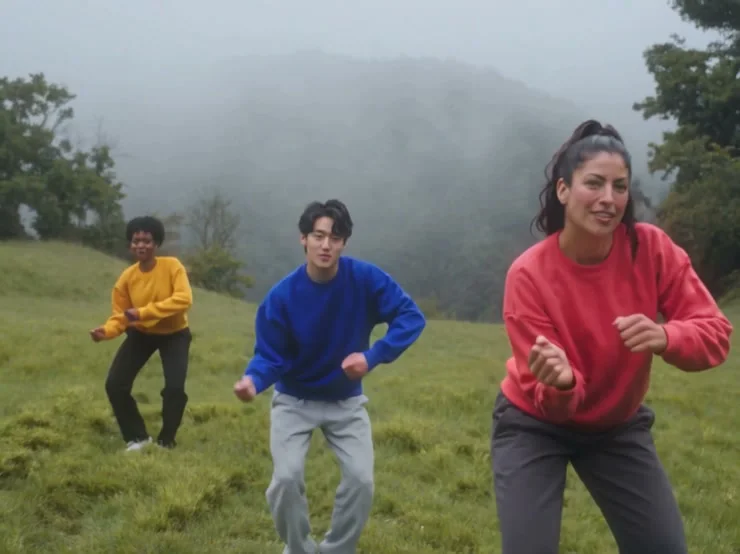
Wassup in a Minute AI Video Generator
Upload three photos—Left, Center, and Right dancers—to recreate the viral misty hillside trio dance in 4:3.
- 3 photos · Left, Center, Right
- 4:3 hillside frame
- 5, 10 or 15 s
- 480p, 720p or 1080p
- Uses credits
Results affected by photos that don’t meet these requirements are not eligible for a refund.
Use photos you have permission to upload.
Wassup in a Minute AI video example
The short answer
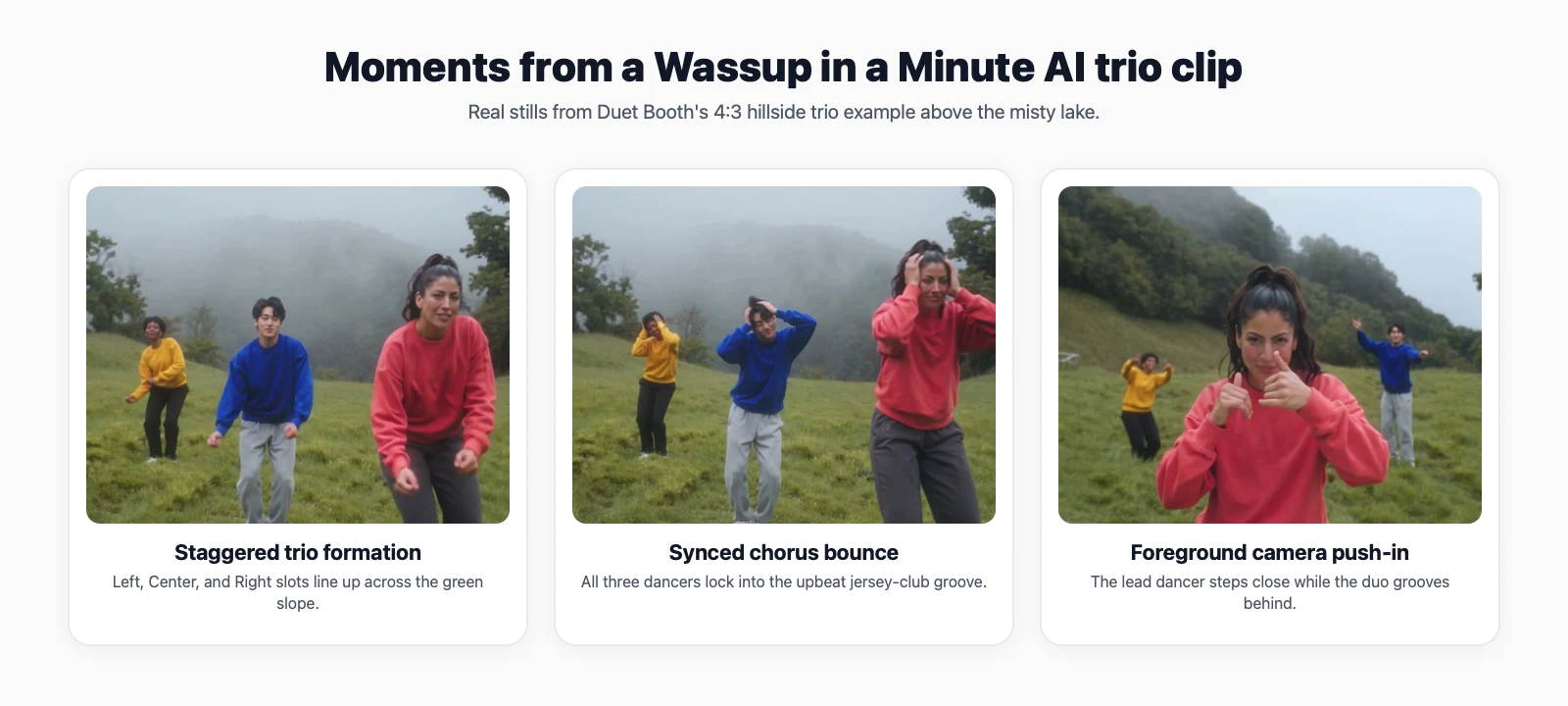
The Wassup in a Minute trend pairs zbee's Jersey club remix of Drake and Jhené Aiko's From Time with two distinct TikTok visual styles: a white-background streetwear anime sway and a misty hillside three-person dance often nicknamed the Swiss side quest. Duet Booth focuses on the hillside trio format—upload three clear photos of consenting adults for the Left, Center, and Right dancers, pick 5, 10, or 15 seconds and a resolution, and create your 4:3 group dance video. Review the finished clip in History and select the official trend sound on TikTok when you post. This is an unofficial creative tool—not affiliated with Niana Guerrero, zbee, Drake, Jhené Aiko, or TikTok.
What is the Wassup in a Minute trend on TikTok?
The Wassup in a Minute trend takes its name from a misheard lyric hook. Producer zbee created a Jersey club remix sampling the opening line of Drake and Jhené Aiko’s 2013 track From Time—“What’s up? Been a minute since we kicked it.” Across TikTok captions and hashtags, viewers heard and wrote the loop as “Wassup in a minute” or “In a minute wassup,” so both phrases now point to the same trend.
In late October 2026, two separate visual formats took off on the same remix. Animator @ristyisvalid popularized the name on October 24, 2026 with a white-background anime streetwear sway clip, while dancer Niana Guerrero and two friends sparked the misty green hillside trio dance—widely nicknamed the “swiss side quest.”
Because both styles share the same catchy hook, people searching Wassup in a Minute may have either version in mind. Duet Booth’s Wassup in a Minute AI workspace is built specifically for the three-person hillside dance so friends, roommates, or family members can appear in the same scenic group routine from separate photos.
How to make a Wassup in a Minute AI video from three photos
- Upload three clear photos of consenting adults—one each for Left dancer, Center dancer, and Right dancer—using JPEG, PNG, or WebP files up to 10 MB.
- Choose 5, 10, or 15 seconds and select 480p, 720p, or 1080p. Review the live credit quote before creating your Wassup in a Minute AI video.
- Open History to preview and download your 4:3 hillside trio MP4, then select the official trend sound and AI disclosure label when posting on TikTok.
Use photos you have permission to use. Photo clarity and output quality vary. Select the official trend sound on TikTok when you post.
How to assign Left, Center, and Right dancers from three photos
This Wassup in a Minute AI generator uses three dedicated photo slots: Left dancer, Center dancer, and Right dancer. Uploading one person per slot tells the model who belongs in each position across the hillside shots, keeping faces and outfits separated rather than guessing from a crowded group picture.
Your Center dancer is the spotlight role—put the person with the clearest front-facing expression in the middle slot so the close-up moment reads cleanly. Left and Right dancers frame the formation on the green slope and join the synchronized bounce and freestyle finish.
Your three friends do not need to be photographed in the same place or lighting. Separate portraits taken in different cities can still share the same misty hillside above the lake, making Wassup in a Minute a quick way to reunite long-distance friends in one clip.
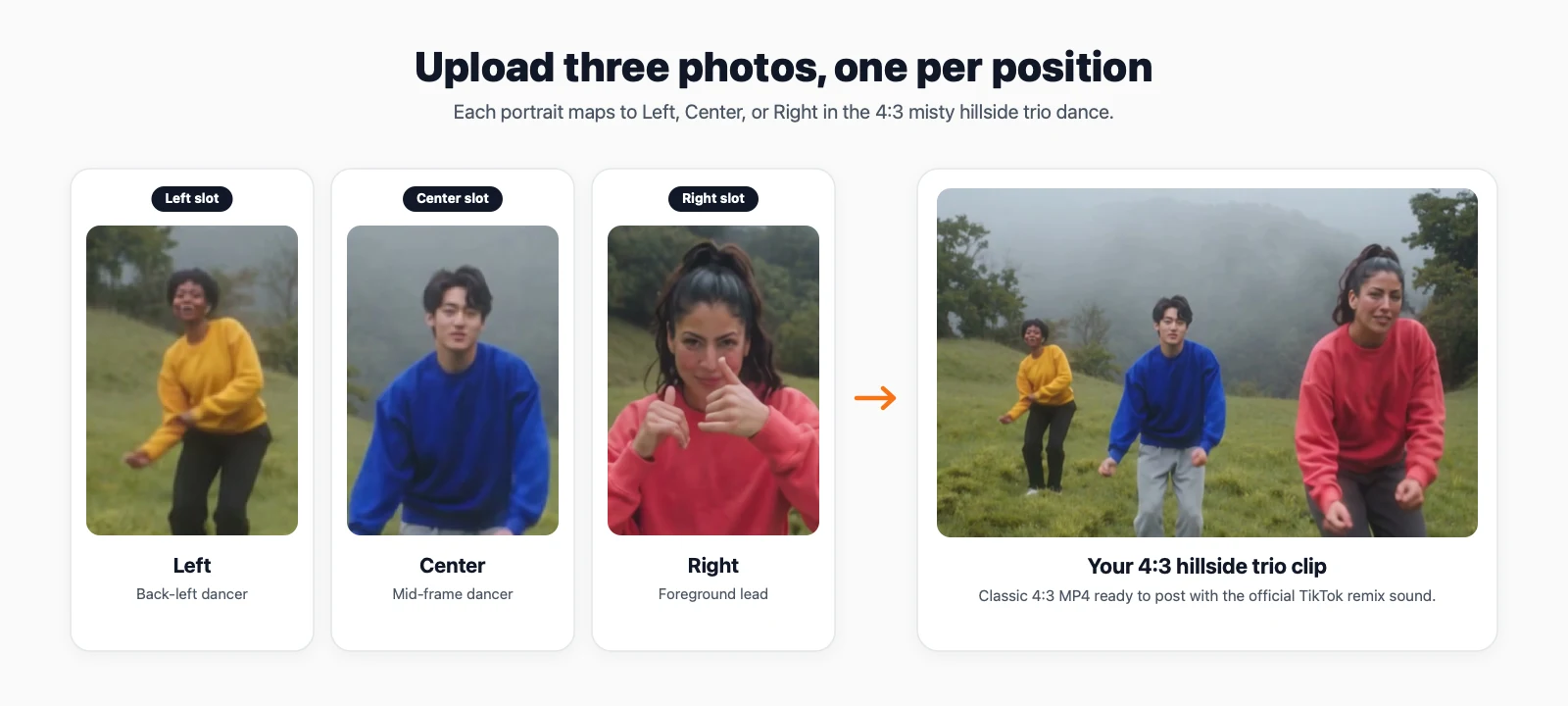
Photo tips to keep all three faces sharp and distinct
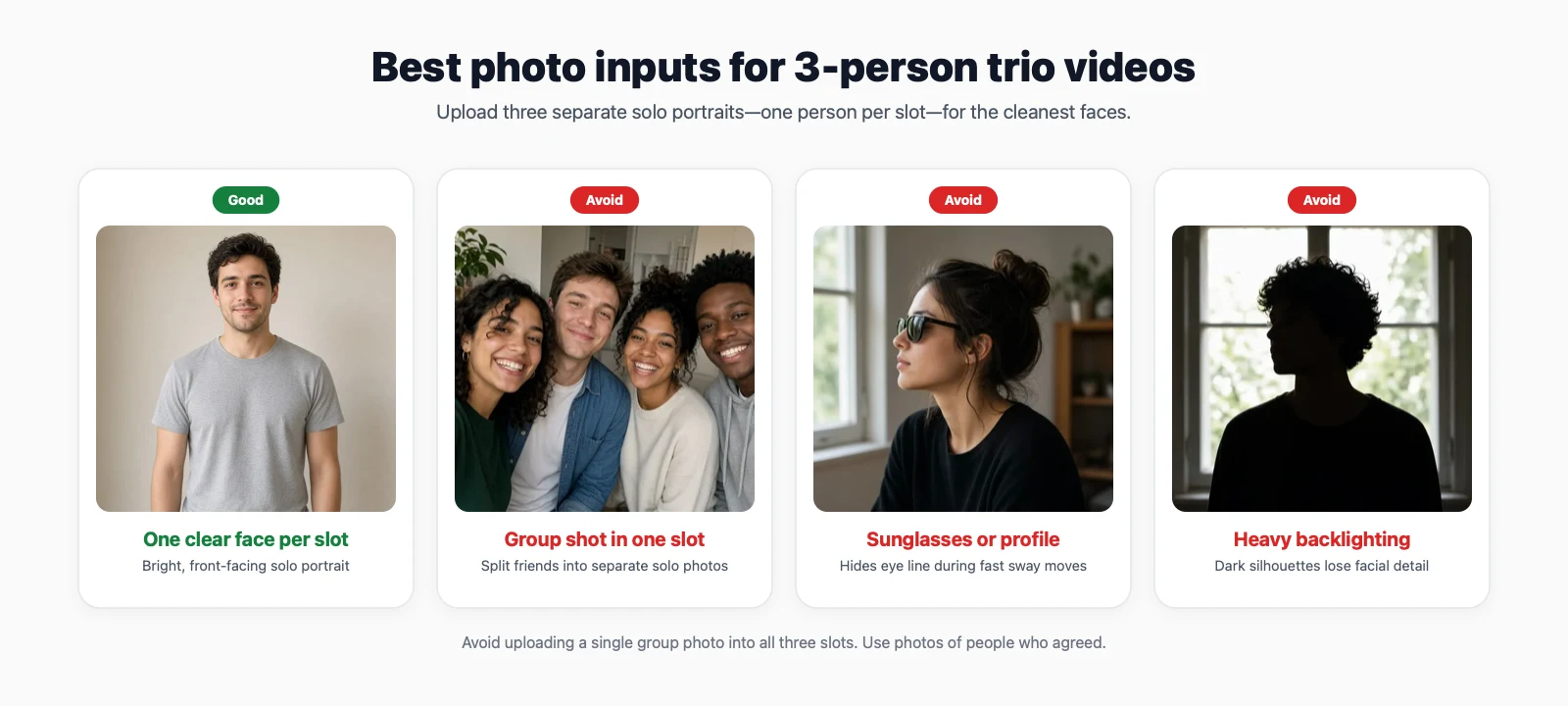
Use three sharp, front-facing portraits of consenting adults with even lighting and unobstructed eyes. Waist-up or full-body photos work best for a Wassup in a Minute AI video because they provide clear clothing and shoulder cues alongside the face.
Distinct outfit colors—for example, a yellow, blue, and red sweater as in the example above—make it much easier for the video model to keep Left, Center, and Right identities consistent during turns and wider shots. Avoid sunglasses, face masks, heavy beauty filters, or uploading a multi-person snapshot into a single slot.
Only upload photos of yourself or adults who agreed to appear in your Wassup in a Minute dance clip. Upload original JPEG, PNG, or WebP files up to 10 MB each instead of tiny compressed screenshots.
Choosing 5, 10, or 15 seconds and 4:3 framing
The Wassup in a Minute workspace outputs a 4:3 frame modeled on the hillside trio composition, giving all three dancers horizontal breathing room on the green slope without crowding the Left and Right performers out of view.
Start with 5 seconds at 480p if you want a quick draft to verify how all three faces look in motion. Choose 10 or 15 seconds when you want more of the hillside sequence, including the bounce, center close-up, and wider group freestyle. Higher resolutions (720p and 1080p) add sharper facial and clothing detail, with the live credit quote updating before you submit.
CapCut 4-clip templates vs. three-photo Wassup in a Minute AI
On CapCut, the most widely used “in a minute wassup” templates are 4-clip editing layouts that cut four separate video or photo clips to the beat—a different workflow from generating a continuous three-person hillside dance from three portraits.
With Duet Booth’s Wassup in a Minute AI workspace, you do not need to film choreography on a hillside, edit a 4-clip timeline, or write a complex prompt. Upload three photos, review the credit cost, and generate directly in the browser.
Posting your Wassup in a Minute clip on TikTok
When your clip finishes in History, preview all three dancers from start to finish and download the MP4. Duet Booth does not license commercial music tracks or redistribute original creator footage.
To connect your video with the TikTok trend feed, search for original sound - nianaguerrero or from time jerseyclub prodzbee, tap Use this sound, and upload your clip (adjusting original clip volume in TikTok if you want only the platform audio). Turn on TikTok’s AI-generated content label and add hashtags like #wassupinaminute or #inaminutewassup.
Frequently asked questions
Why is the trend called Wassup in a Minute instead of Been a Minute?
The audio samples Jhené Aiko’s opening line “What’s up? Been a minute since we kicked it” from Drake’s From Time in zbee’s Jersey club remix. Many TikTok viewers misheard “been a minute” as “in a minute,” so Wassup in a Minute and In a Minute Wassup became the main trend names.
Does this Wassup in a Minute generator make the hillside trio or the anime sway?
This workspace creates the three-person misty hillside dance (often called the Swiss side quest format) from three separate photos. It is distinct from the white-background anime streetwear sway and from 4-clip CapCut montage templates.
Which photo should I put in the Center dancer slot?
Place the person you want featured in the center close-up into the Center dancer slot. Choose a sharp, front-facing portrait with even lighting, and give each of the three dancers a distinct outfit color when possible.
How do I add the TikTok trend sound to my Wassup in a Minute video?
Download your finished MP4 from History, open TikTok, and search original sound - nianaguerrero or from time jerseyclub prodzbee. Tap Use this sound, upload your clip, adjust clip volume if needed, and turn on the AI-generated content label.
Is this an official Niana Guerrero, CapCut, or TikTok tool?
No. Duet Booth is an independent creative tool and is not affiliated with, endorsed by, or connected to Niana Guerrero, zbee, Drake, Jhené Aiko, CapCut, or TikTok. Only upload photos of adults who gave permission.
Related scenes
Put your trio into the Wassup in a Minute hillside dance
Upload three clear photos for the Left, Center, and Right dancers, pick your length and quality, and create your 4:3 clip in Duet Booth.