
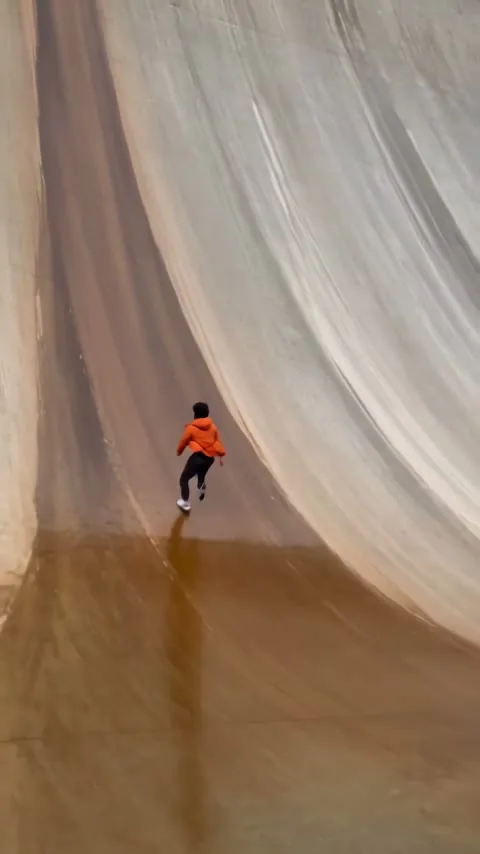
Dam Wall Run AI Video Generator
Upload one full-body photo to put your runner in a vertical 9:16 Giant Ramp Climbing dam wall run stunt.
- 1 photo
- Full-body runner
- 5, 10 or 15 s
- 9:16 vertical
- 480p, 720p or 1080p
- Uses credits
Results affected by photos that do not meet these requirements are not eligible for a refund.
Use photos you have permission to upload.
Dam Wall Run AI video example
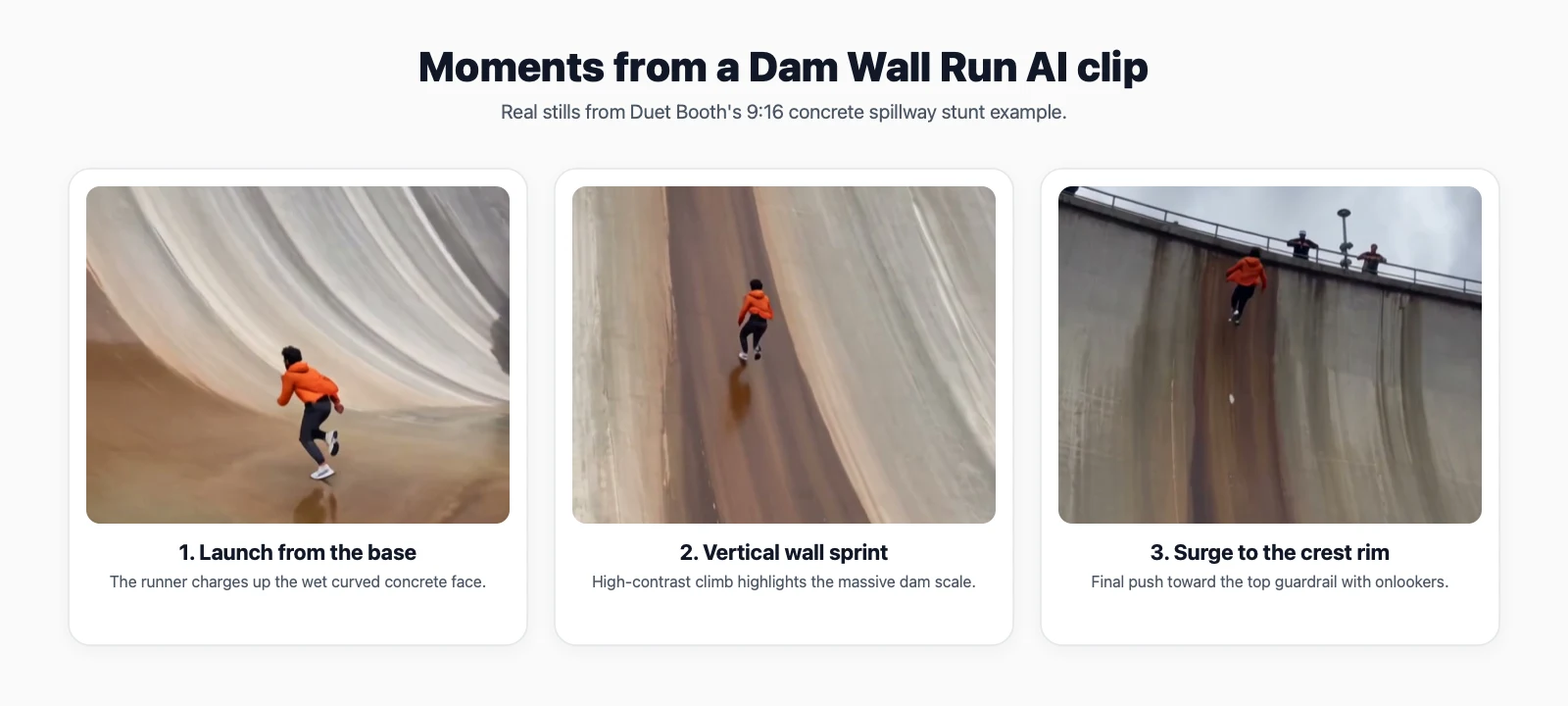
The short answer
The Dam Wall Run AI trend—also widely called the Giant Ramp Climbing template on TikTok—turns one photo into an impossible AI stunt clip: a runner sprints straight up a towering, wet curved concrete dam wall, flips near the upper edge, and slides feet-first back down through water spray. Upload one clear full-body photo of a consenting adult, choose 5, 10, or 15 seconds and your preferred resolution, and generate a vertical 9:16 MP4. Preview and download in History, and disclose the clip as AI-generated when you share. This is an imaginative AI effect—never attempt to run up or climb a real concrete dam.
What is the Dam Wall Run (Giant Ramp Climbing) AI trend?
The Dam Wall Run AI trend surfaced across TikTok and Reels in late October 2026 as a gravity-defying visual stunt. Viewed from a handheld spectator perspective at the base of an enormous curved spillway, a single runner charges up the steep wet concrete face, pulls off a backflip near the top, and slides back down in a fan of water.
Across TikTok, the same one-photo AI effect appears under two main names: English descriptions call it Dam Wall Run or AI Wall Run, while CapCut Pioneer templates circulate it as Giant Ramp Climbing (along with localized template names such as escalade de la rampe géante in French, plantilla de escalada de la rampa gigante in Spanish, and șablon de escaladare pe rampa gigantică in Romanian).
Unlike real parkour clips, Roblox wall-run games, or earlier general AI stunt-running videos, this Dam Wall Run AI scene centers on one person against a massive grey curved dam surface so the scale immediately grabs attention in the first two seconds of a vertical feed.
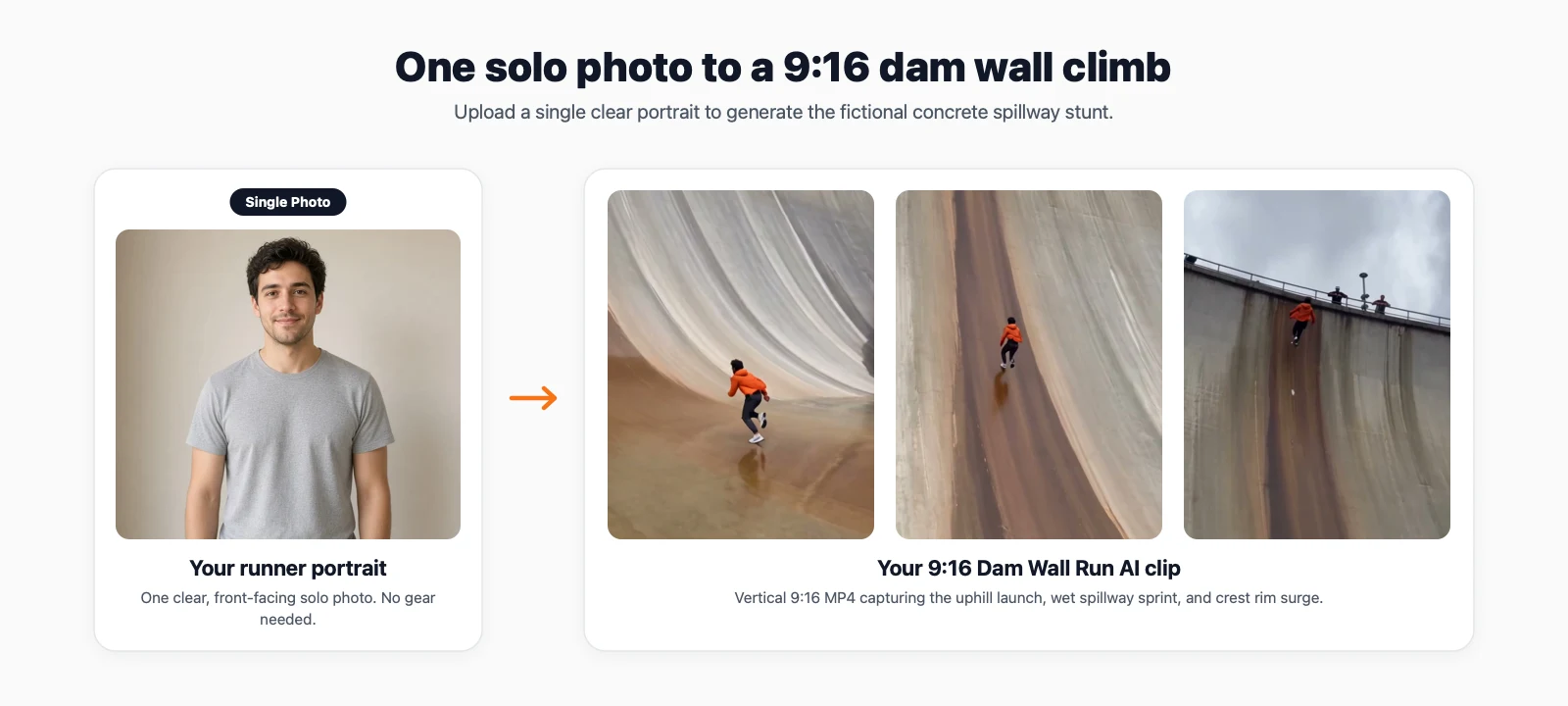
How to make a Dam Wall Run AI video from one photo
- Upload one clear, full-body photo of a single consenting adult (JPEG, PNG, or WebP up to 10 MB). A bright jacket or distinct outfit stands out best against the grey concrete dam wall.
- Select 5, 10, or 15 seconds and choose 480p, 720p, or 1080p in vertical 9:16 format. Review the displayed credit quote, then create your Dam Wall Run AI video.
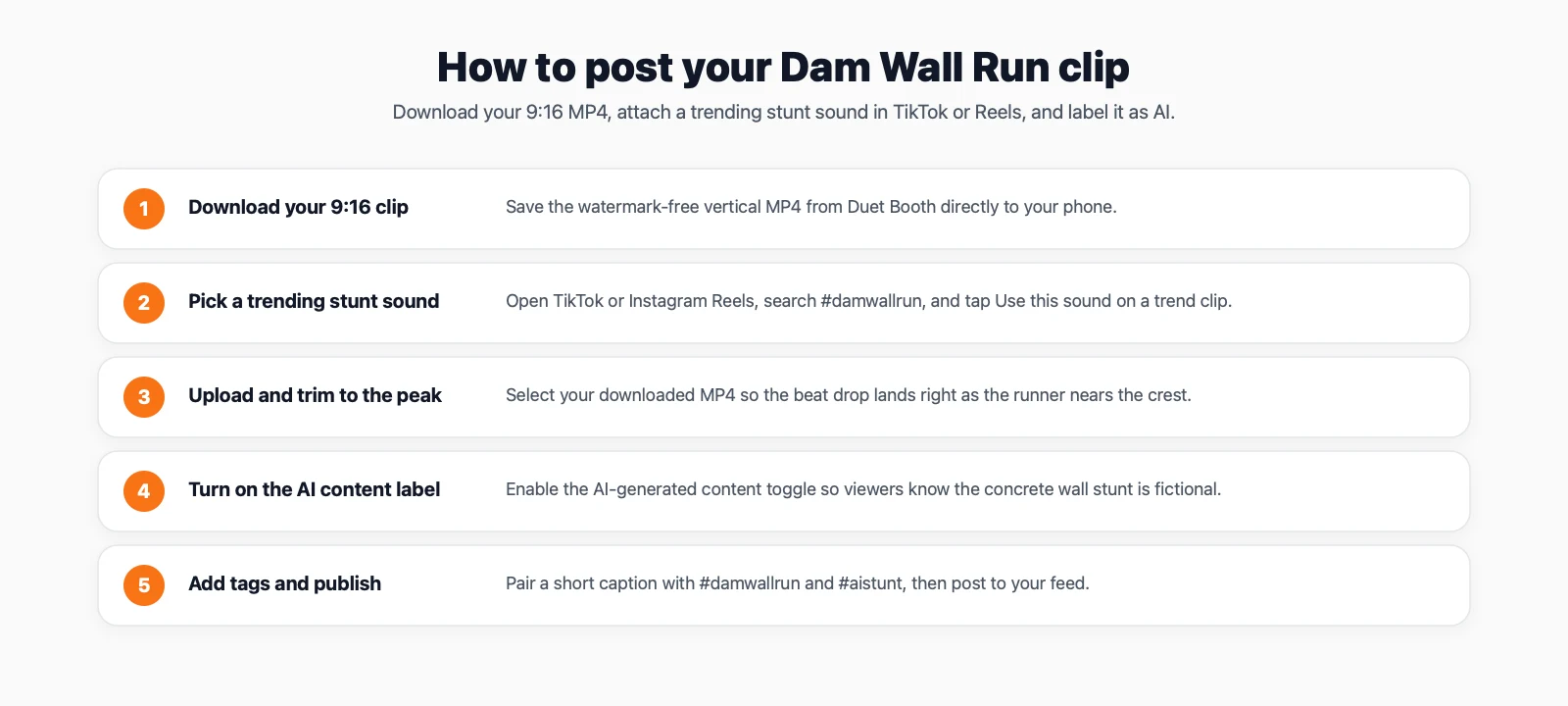
- Open History to preview and download your finished MP4. Post vertically on TikTok, Reels, or Shorts and enable the platform’s AI-generated content label.
Use photos you have permission to use. Photo clarity and output quality vary. Label your clip as AI-generated when sharing on social platforms.
Which photo works best for a Dam Wall Run AI video?
Upload one sharp, full-body photo of a single consenting adult in a JPEG, PNG, or WebP file up to 10 MB. Because the camera follows the runner from behind and from a low wide angle as they sprint up the concrete slope, showing the head, jacket, trousers, and shoes in your source photo gives the model clear outfit details to carry through the climb.
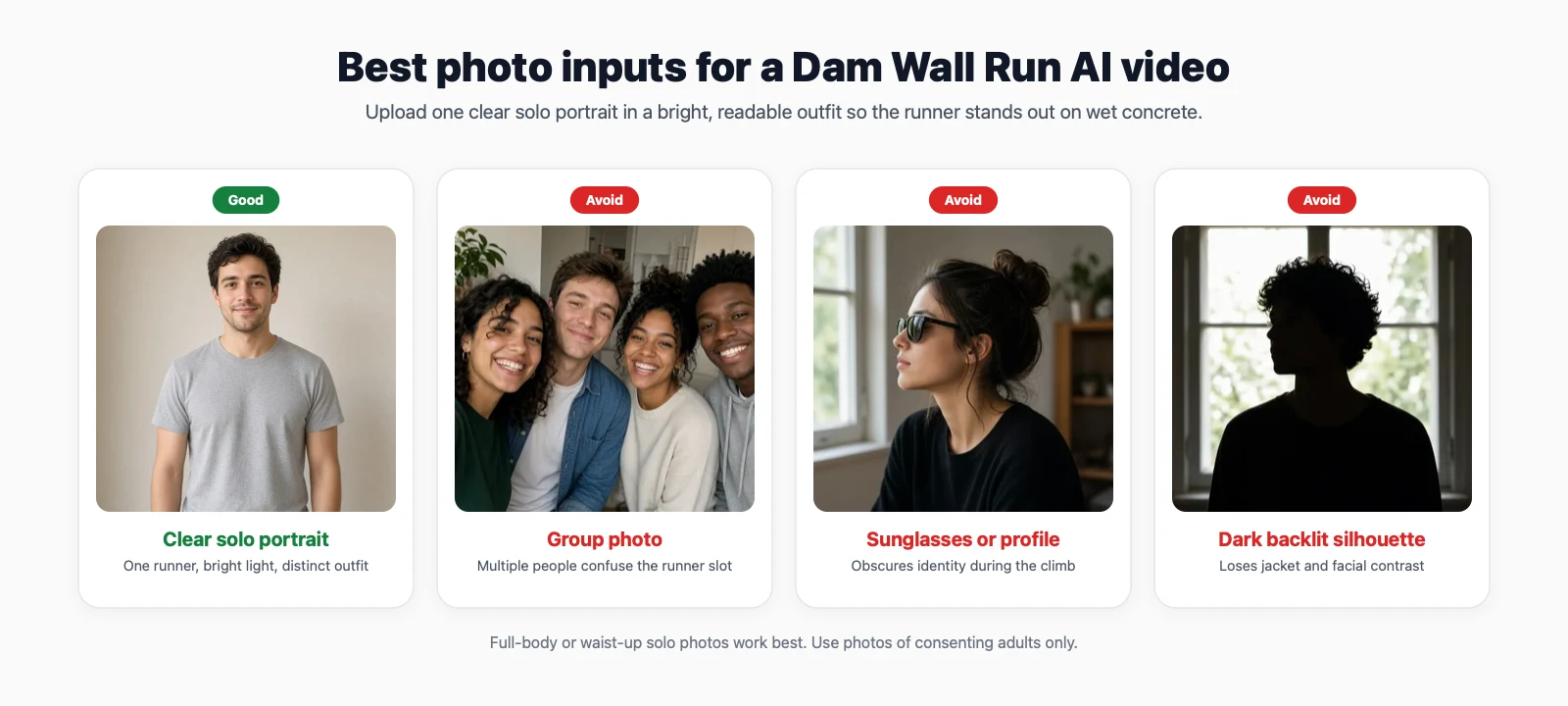
A high-contrast top or bright windbreaker—such as the orange jacket in the example above—helps your runner stay crisp and readable against the cool grey wet concrete as they climb higher up the giant ramp. Avoid group photos, heavy filters, sunglasses, helmets, or tightly cropped face-only selfies.
Only upload photos of yourself or adults who gave permission to appear in a Dam Wall Run AI clip. Check the preview before generating so the intended runner is obvious and centered.
Choosing 5, 10, or 15 seconds and resolution for your dam run
Every Dam Wall Run AI video exports in vertical 9:16 format so the towering curve of the dam wall fills a phone screen on TikTok, Instagram Reels, and YouTube Shorts without awkward cropping.
Choose 5 seconds at 480p for a fast test clip focusing on the dramatic uphill sprint. Select 10 or 15 seconds when you want room for the fuller stunt sequence—the sprint up the wet ramp, the flip near the upper crest, and the slide back toward the base. Switch to 720p or 1080p for crisper water spray and outfit detail, reviewing the live credit quote before creating.
Dam Wall Run vs. Giant Ramp Climbing: same stunt, different names
If you saw a friend’s clip tagged #giantrampclimbing, #damwallrun, or #aiwallrun, they all point to this same curved-dam stunt concept. You do not need two separate tools or a CapCut template link to try it.
Duet Booth puts the entire workflow in one browser workspace: upload one photo, pick your length and resolution, and generate without writing a motion prompt or stitching separate clips together.
Reviewing and sharing your Dam Wall Run AI video safely
Once your Dam Wall Run AI task completes in History, watch the clip at normal speed from start to finish. Check that your runner’s outfit, stride, and proportions look consistent through the climb and slide before downloading the 9:16 MP4.
Because realistic AI stunt clips are frequently fact-checked or mistaken for real footage on X and TikTok, always turn on the platform’s AI-generated content label when you post. Keep captions playful and clear that the stunt is AI-generated—running up a real concrete dam wall is physically impossible and dangerous.
Frequently asked questions
Is the Dam Wall Run video a real stunt or AI-generated?
It is completely AI-generated. Running straight up a steep, wet concrete dam wall and backflipping off the top is not a real filmed stunt. Always turn on the AI-generated content label when sharing your clip.
Are Dam Wall Run and Giant Ramp Climbing the same trend?
Yes. English posts often call the clip Dam Wall Run or AI Wall Run, while TikTok template posts frequently name it Giant Ramp Climbing (or its French, Spanish, and Romanian translations). Both refer to the same one-photo curved-dam stunt.
Do I only need one photo to make a Dam Wall Run AI video?
Yes. Upload one clear photo of a single consenting adult. A full-body photo showing clothing and shoes works best because the stunt shows the runner from a wide spectator angle as they sprint up the ramp.
What aspect ratio and clip length should I choose?
Every Dam Wall Run AI clip exports in vertical 9:16 framing built for TikTok, Reels, and Shorts. Choose 5 seconds for a quick uphill sprint draft, or 10 and 15 seconds for a longer stunt sequence.
Where do I find and download my finished Dam Wall Run AI video?
Your video continues processing in the background even if you leave the page. Open History under the same account to preview the completed clip and download the vertical MP4.
Related scenes
Put your runner on the giant curved dam wall
Upload one clear full-body photo, pick 5, 10, or 15 seconds, and create a vertical 9:16 Dam Wall Run AI stunt clip.