
Give It All to Me AI Video Generator
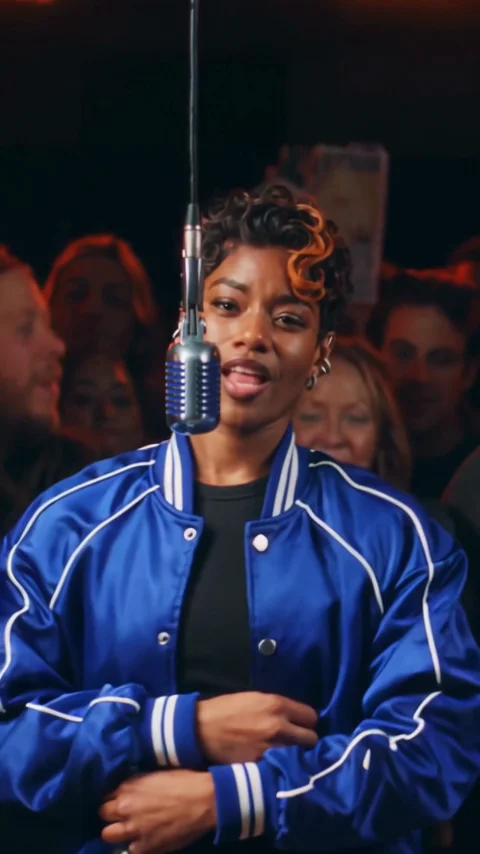
Upload one clear solo photo to step into BigXthaPlug’s GIVE IT ALL hanging-mic theater lobby trend in vertical 9:16.
- 1 photo
- Solo performer
- 5, 10 or 15 s
- 9:16 vertical
- 480p, 720p or 1080p
- Uses credits
Results affected by photos that do not meet these requirements are not eligible for a refund.
Use photos you have permission to upload.
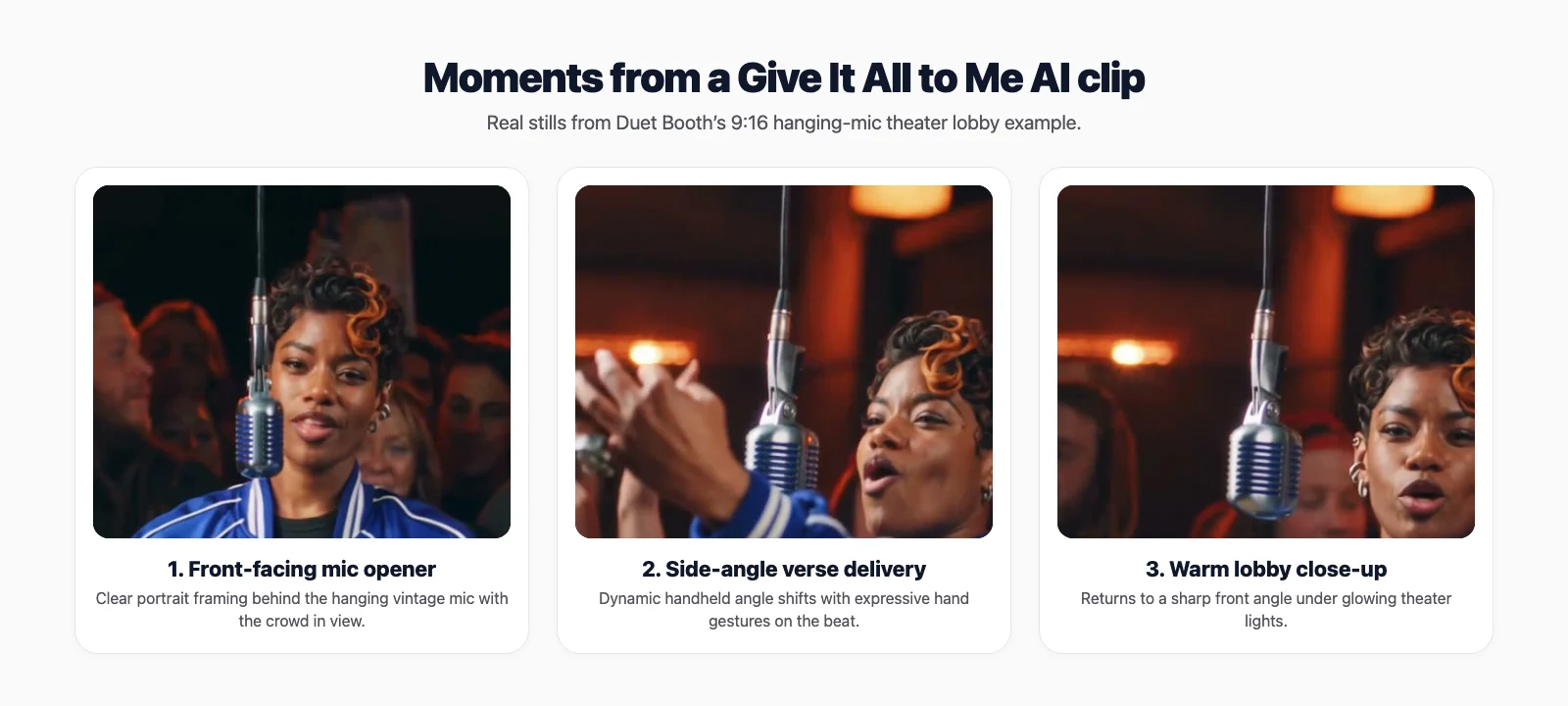
Give It All to Me AI video example
The short answer
The Give It All to Me AI trend—often called the BigXthaPlug AI trend or hanging mic AI trend—turns one portrait into a vertical 9:16 rap performance clip inspired by BigXthaPlug's GIVE IT ALL From The Block session in a crowded theater lobby. Although the official song title is GIVE IT ALL (from the October 30, 2026 album Better Over Time), TikTok tutorials widely name the meme after its hook lyric, Give It All to Me. Upload one clear photo of a consenting adult, pick 5, 10, or 15 seconds and a resolution, and create your clip in the browser. Preview and download in History, and enable the AI-generated label when sharing. This is an unofficial creative tool—not affiliated with BigXthaPlug, 4 Shooters Only, CapCut, or TikTok.
What is the Give It All to Me AI trend (and BigXthaPlug's GIVE IT ALL)?
The Give It All to Me AI trend took off across TikTok in mid-November 2026 after rapper BigXthaPlug performed his track GIVE IT ALL (released October 30, 2026 on Better Over Time) for 4 Shooters Only's From The Block series. The live session placed a single performer behind a vintage chrome microphone hanging from the ceiling inside a warm, crowded movie theater lobby.
Because viewers repeated the hook phrase "Give it all to me," tutorials and hashtags quickly adopted names like Give It All to Me AI trend, Give It All to Me CapCut trend, Give It All AI, and BigXthaPlug AI trend. They all point to the same one-photo vertical performance format—not a separate song.
Do not confuse this scene with unrelated tracks or older edits such as Gangsta's Paradise AI videos, Foals' Give It All, Sean Paul's Give It Up to Me, or CapCut's 21-clip Give It To Me montage template. Duet Booth builds the single-photo hanging-mic lobby setup directly in your browser.
How to make a Give It All to Me AI video from one photo
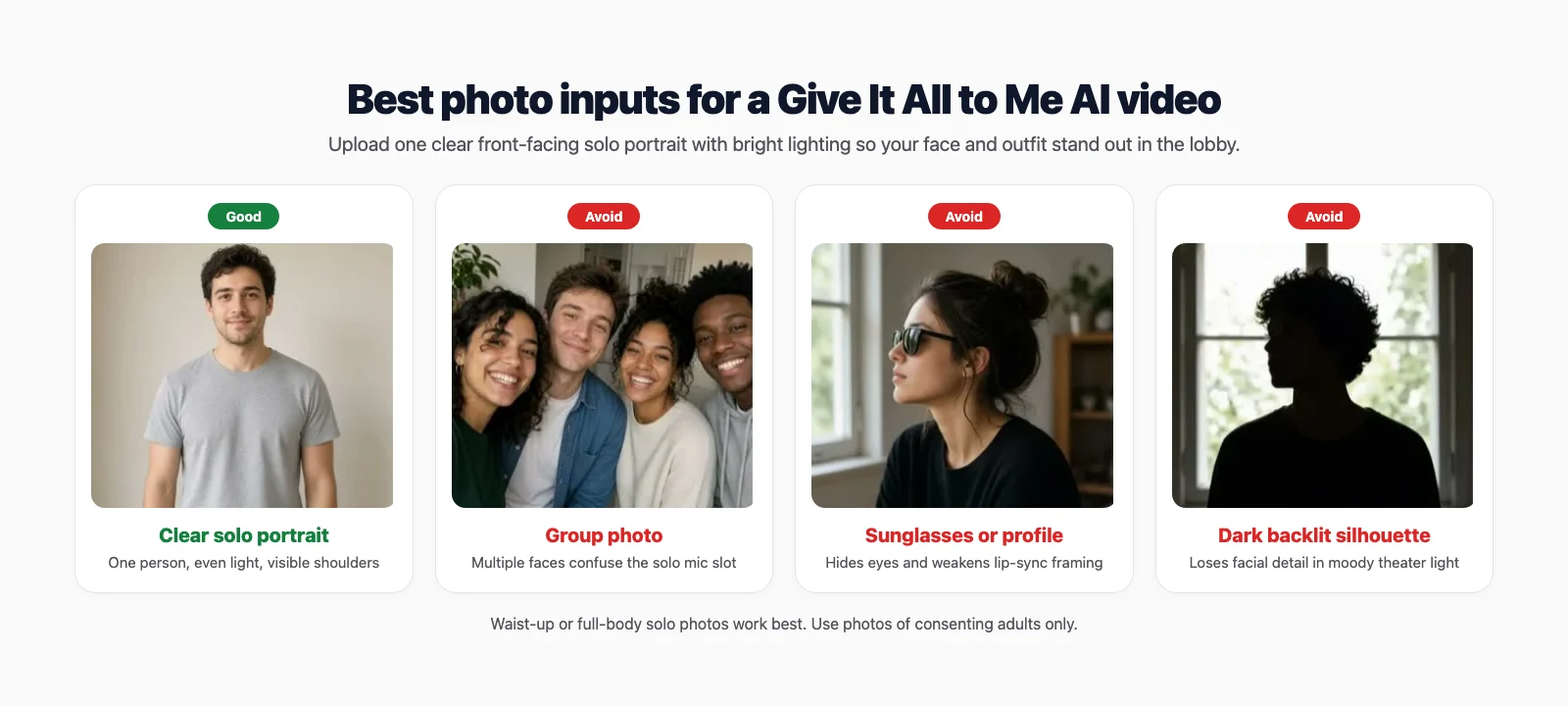
- Upload one clear, front-facing solo photo of a consenting adult (JPEG, PNG, or WebP up to 10 MB). Bright, even lighting and a distinct jacket help you stand out against the warm theater lobby.
- Choose 5, 10, or 15 seconds and select 480p, 720p, or 1080p in vertical 9:16 format. Review the displayed credit quote, then create your Give It All to Me AI video.
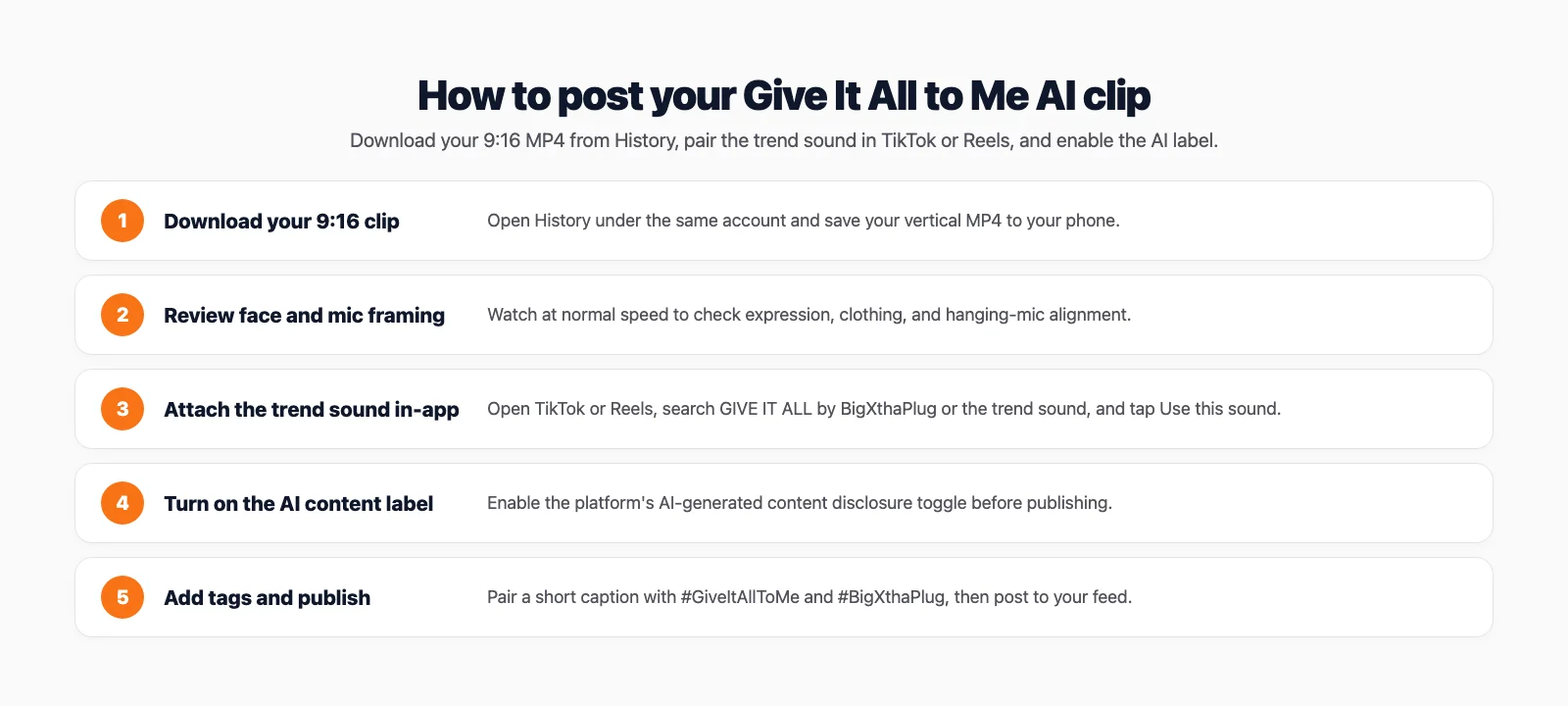
- Open History under the same account to preview and download your MP4, then enable the AI-generated disclosure label when sharing on TikTok, Reels, or Shorts.
Use photos you have permission to use. Photo clarity and output quality vary. Label your clip as AI-generated when sharing on social platforms.
Which photo works best for a Give It All to Me AI video?
Upload one sharp, front-facing photo of a single consenting adult in JPEG, PNG, or WebP format up to 10 MB. A waist-up or full-body portrait with visible shoulders and clear lighting gives the video model reliable face and clothing details for the close-up mic framing and handheld side angles.
High-contrast outfits—such as a bright jacket or distinct collar—separate cleanly from the dark, warm-lit theater crowd behind you. Avoid group photos, sunglasses, side profiles, heavy beauty filters, or backlit silhouettes that hide facial features.
Only upload photos of yourself or adults who gave permission to appear in a Give It All to Me AI video. Check the uploaded preview before submitting so the intended performer is centered and unobstructed.
Choosing 5, 10, or 15 seconds and resolution for your 9:16 clip
Every Give It All to Me AI video exports in vertical 9:16 framing tailored for TikTok, Instagram Reels, and YouTube Shorts, keeping the hanging microphone, performer, and glowing lobby crowd framed for phone screens without manual cropping.
Start with 5 seconds at 480p if you want a quick test clip to verify facial likeness and outfit detail. Pick 10 or 15 seconds when you want a fuller performance sequence with front-facing and handheld side angles, and switch to 720p or 1080p for sharper detail after reviewing the live credit quote.
Give It All to Me AI trend vs. CapCut templates and other names
Across TikTok and Reels, the same one-photo trend circulates under several labels: Give It All to Me AI trend, Give It All to Me CapCut trend, Give It All AI, BigXthaPlug AI trend (plus spelling variants like Big X Tha Plug), and hanging mic AI trend. You do not need separate pages or multiple apps for each name.
Some tutorial comments report that certain third-party CapCut template links were removed or no longer load, and availability can change without notice. Duet Booth keeps the entire workflow in one browser workspace—upload one photo, choose length and quality, and generate without hunting for a working template link or writing a prompt.
Reviewing and sharing your Give It All to Me AI clip responsibly
When your Give It All to Me AI video finishes in History, watch the clip at normal speed from start to finish. Check facial consistency, lip movement, clothing, and microphone alignment before downloading the 9:16 MP4.
Duet Booth does not grant commercial music licenses or official artist rights. When sharing on TikTok, Reels, or Shorts, pair the official in-app trend sound if needed, check clip volume, enable the platform’s AI-generated content label, and tag your post clearly (for example with #GiveItAllToMe and #BigXthaPlug).
Frequently asked questions
Why is the trend called Give It All to Me when the song is GIVE IT ALL?
BigXthaPlug released the official track as GIVE IT ALL on Better Over Time (October 30, 2026) and performed it for 4 Shooters Only’s From The Block series. TikTok tutorials and hashtags named the trend after the hook lyric “Give it all to me,” so both names point to the same hanging-mic video format.
Do I only need one photo for a Give It All to Me AI video?
Yes. Upload one sharp, front-facing portrait of a single consenting adult. A waist-up or full-body photo with clear lighting and unobstructed eyes produces cleaner framing than a group shot or dark silhouette.
What aspect ratio, length, and resolution options are available?
Every Give It All to Me AI clip exports in vertical 9:16 framing built for TikTok, Instagram Reels, and YouTube Shorts. You can choose 5, 10, or 15 seconds at 480p, 720p, or 1080p and review the live credit quote before generating.
Is this the same as the CapCut "Give It To Me" 21-clip template?
No. CapCut’s unrelated "Give It To Me" template requires 21 separate clips and is a different edit altogether. This workspace generates the single-photo Give It All to Me AI hanging-mic scene directly in your browser without relying on a third-party CapCut link.
Where do I download my finished video and how should I share it?
Generation continues in the background even if you close the tab. Open History under the same account to inspect and download your 9:16 MP4. Always enable the platform’s AI-generated content label and follow platform audio rules when posting.
Is this an official BigXthaPlug, 4 Shooters Only, CapCut, or TikTok tool?
No. Duet Booth is an independent creative tool and is not affiliated with, endorsed by, or connected to BigXthaPlug, 4 Shooters Only, CapCut, or TikTok. Downloading a generated clip does not grant music or likeness rights.
Related scenes
Step behind the hanging mic in one photo
Upload one clear solo portrait, pick 5, 10, or 15 seconds, and create a vertical 9:16 Give It All to Me AI video in Duet Booth.