
Deck the Halls Dance AI Video Generator
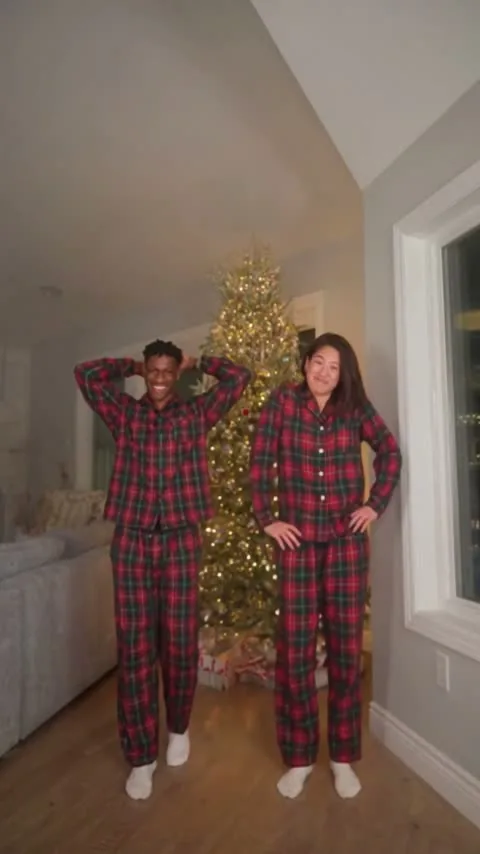
Upload two photos to create a vertical Deck the Halls dance AI video in matching holiday pajamas. Export a 9:16 clip ready for TikTok, Reels, and Shorts.
- 2 photos
- Full-body or waist-up
- 5, 10 or 15 s
- 9:16 vertical
- MP4 · add TikTok sound
- Uses credits
Results affected by photos that don’t meet these requirements are not eligible for a refund.
Use photos you have permission to upload.
Hug example · Fictional adults
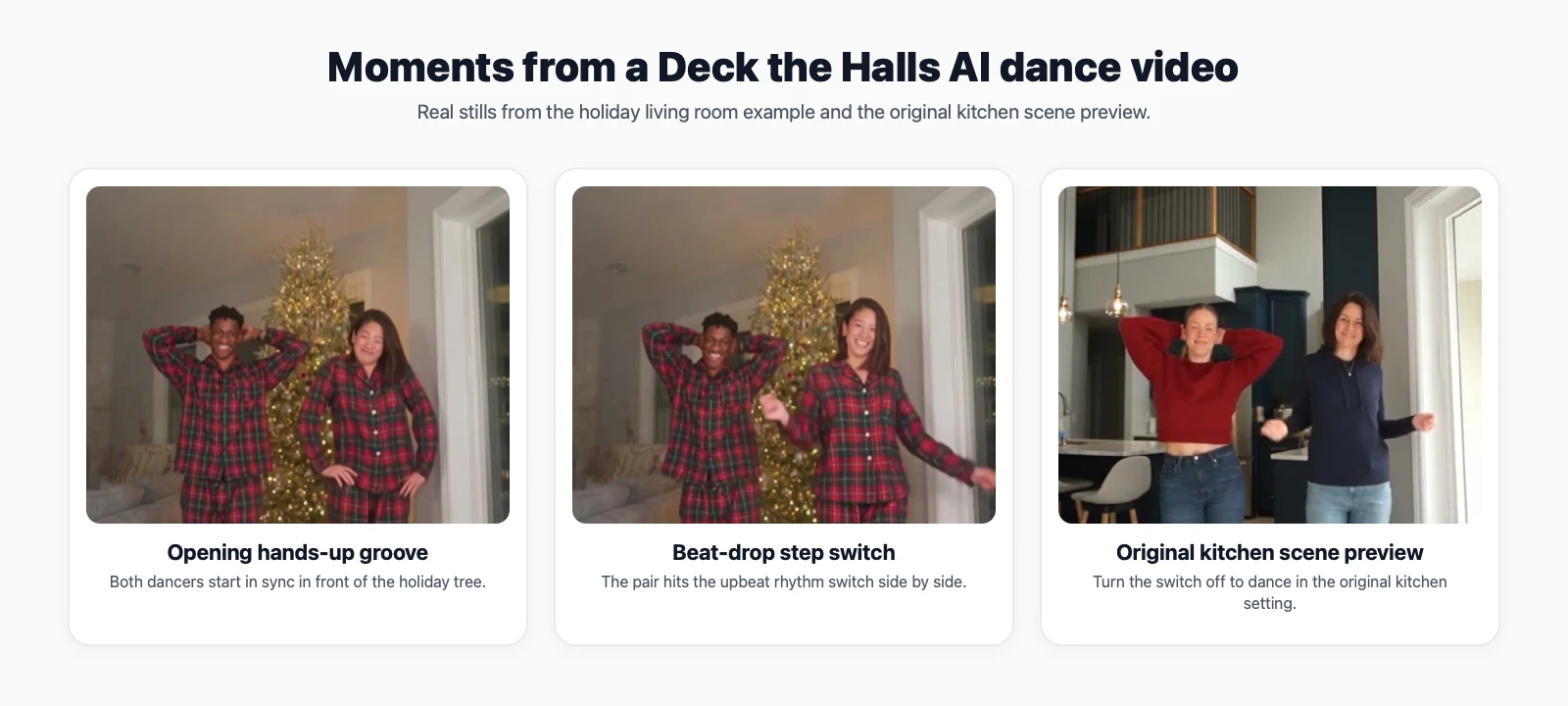
Deck the Halls dance AI video examples
The short answer
The Deck the Halls dance trend is a viral holiday duo routine set to Dj Izzy Duzzit's original sound mashup, Deck the Halls x Blow the Whistle. Real-person family and friend duos sparked the November 2026 wave on TikTok, followed by two-photo AI remakes in matching Christmas pajamas. On Duet Booth, upload two clear photos of consenting adults, leave the Christmas tree background on for a holiday living room or turn it off for the original kitchen scene, pick 5, 10, or 15 seconds, and create a vertical 9:16 MP4 in matching holiday pajamas. Select the official trend sound on TikTok when you post. This is an unofficial creative tool—not affiliated with Dj Izzy Duzzit, TikTok, or any creator.
What is the Deck the Halls dance trend?
The Deck the Halls dance trend started with a holiday remix posted on TikTok by Dj Izzy Duzzit on December 4, 2025, titled Deck the Halls x Blow the Whistle. After an initial wave of clips in December 2025, the sound resurged in late October and November 2026 as families, couples, and friends filmed short synchronized duos at home.
Most 2026 Deck the Halls dance clips run around 14 to 15 seconds in vertical 9:16 framing, often featuring two dancers in matching Christmas pajamas in a living room, kitchen, or near a fireplace. Alongside real-person duos and trios, creators began making two-photo AI remakes and character-filter clips for the same trend.
This Deck the Halls dance page focuses specifically on the Dj Izzy Duzzit mashup trend and the two-photo holiday pajama duet format—not separate holiday remixes such as DJ Vic's remix, traditional carol videos, or unrelated Christmas tracks.
How to make a Deck the Halls dance AI video from two photos
- Upload two clear photos of consenting adults—one for the Left dancer and one for the Right dancer—as JPEG, PNG, or WebP files up to 10 MB each. Full-body or waist-up shots give the cleanest Deck the Halls dance framing.
- Keep the Christmas tree background switch on for a holiday living room or turn it off for the original kitchen scene, then select 5, 10, or 15 seconds in 9:16 vertical format for your Deck the Halls dance AI video.
- Review your settings, create your Deck the Halls dance clip, and download the vertical 9:16 MP4 from History. Select Dj Izzy Duzzit's original sound on TikTok when you post.
Use photos you have permission to use. Photo clarity and output quality vary. Add the trend sound yourself when you post.
How many photos do you need for a Deck the Halls dance AI video?
You need two separate photos—one for the Left dancer and one for the Right dancer—to create a Deck the Halls dance AI video. Separate uploads keep each person's face, hairstyle, and proportions distinct while both dancers move side by side.
Two-photo input matches how the Deck the Halls dance AI wave works across photo-to-video remakes: each uploaded portrait maps to one dancer in the duo. Use the Swap left / right control in the workspace if you want to switch sides before creating your Deck the Halls dance clip.
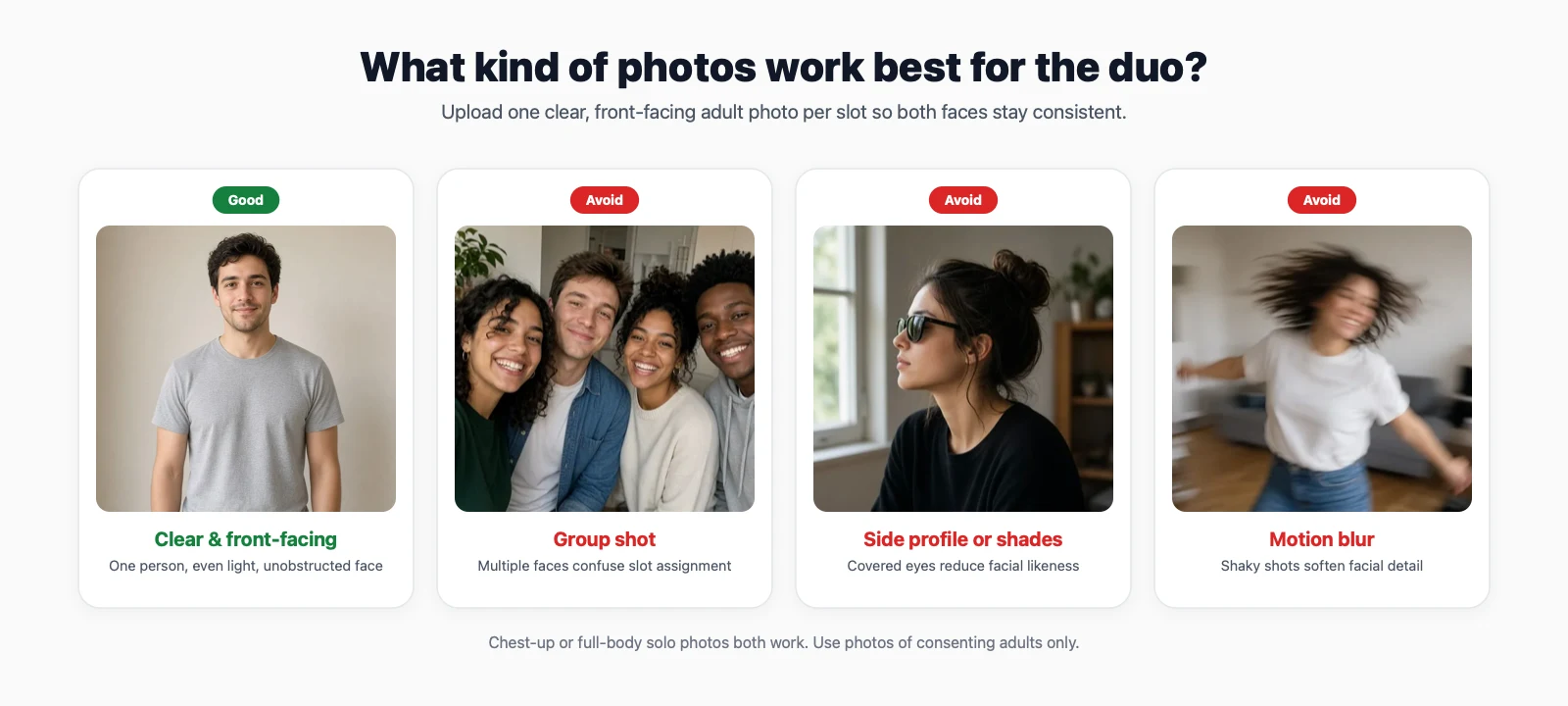
Avoid uploading a crowded group photo into a single slot. Giving each dancer a dedicated, clean image makes it much easier for the Deck the Halls dance generator to preserve both identities throughout the clip.
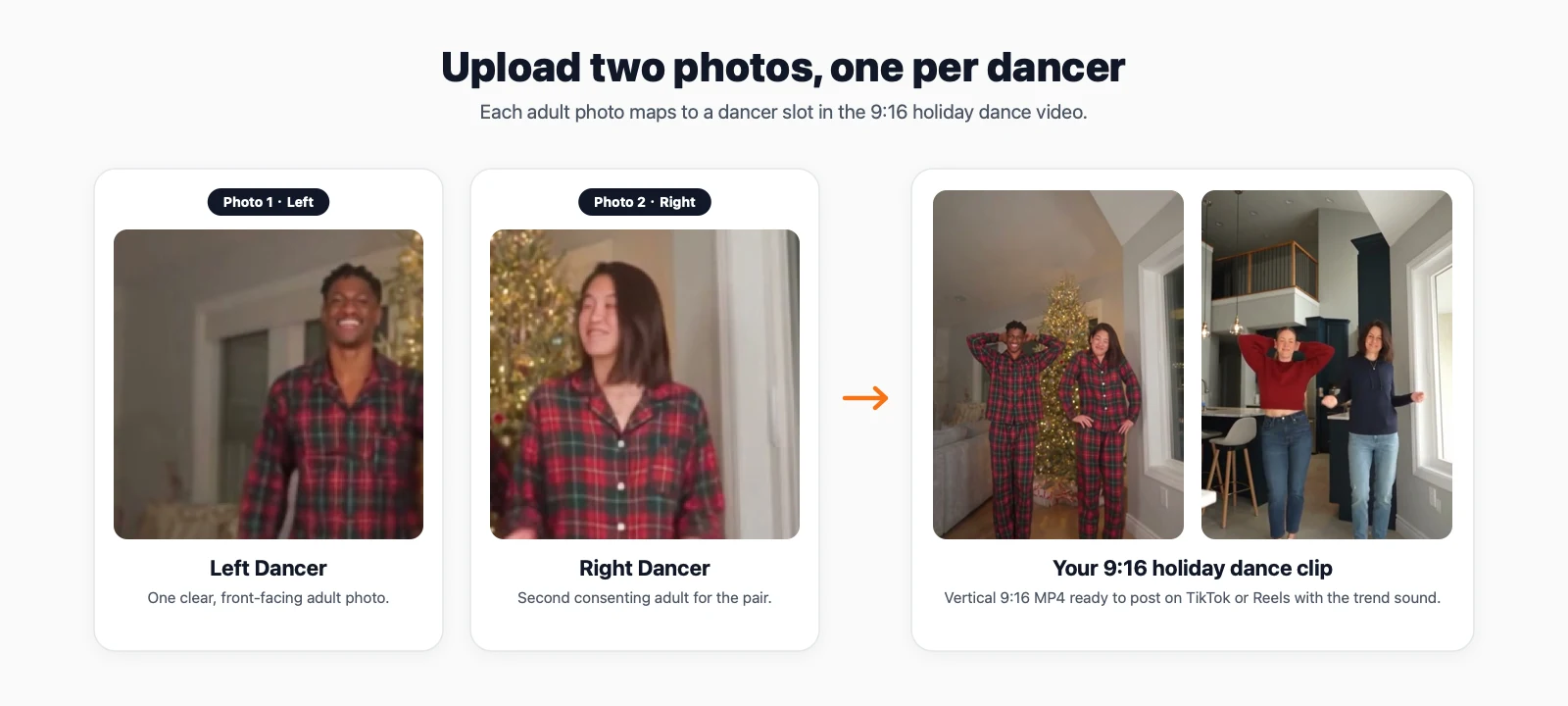
Photo tips for a clean holiday pajama dance duo
Choose two sharp, front-facing photos of consenting adults with even lighting and clear facial detail. Full-body or waist-up photos work best for a Deck the Halls dance AI video because they show posture, shoulders, and clothing proportions clearly.
Upload original JPEG, PNG, or WebP files up to 10 MB each rather than heavily compressed screenshots. Keep faces unobstructed—skip sunglasses, masks, heavy beauty filters, or hands covering the mouth and eyes.
Only upload photos of yourself or adults who agreed to appear in your Deck the Halls dance video. Do not upload photos of strangers or people who did not give permission, and label your finished clip as AI-generated when sharing on social platforms.
Choosing your background switch, resolution, and video length
In the Deck the Halls dance workspace, use the Christmas tree background switch to pick between two scenes: keep it on for a warm holiday living room with Christmas tree lights, or turn it off to use the original kitchen setting.
Both background modes dress your two dancers in coordinated festive plaid pajamas while preserving each person's face and proportions from your uploaded photos.
Every clip exports in vertical 9:16 format sized for TikTok, Reels, and Shorts. Choose 15 seconds to match the common 14 to 15-second Deck the Halls dance trend window, or pick 5 or 10 seconds for a shorter draft. Select 480p, 720p, or 1080p depending on your credit budget and desired sharpness.
How to add Dj Izzy Duzzit's original sound on TikTok
Duet Booth delivers a vertical 9:16 MP4 for every Deck the Halls dance AI video. We do not host or license commercial music rights for Dj Izzy Duzzit's mashup or redistribute original creator footage.
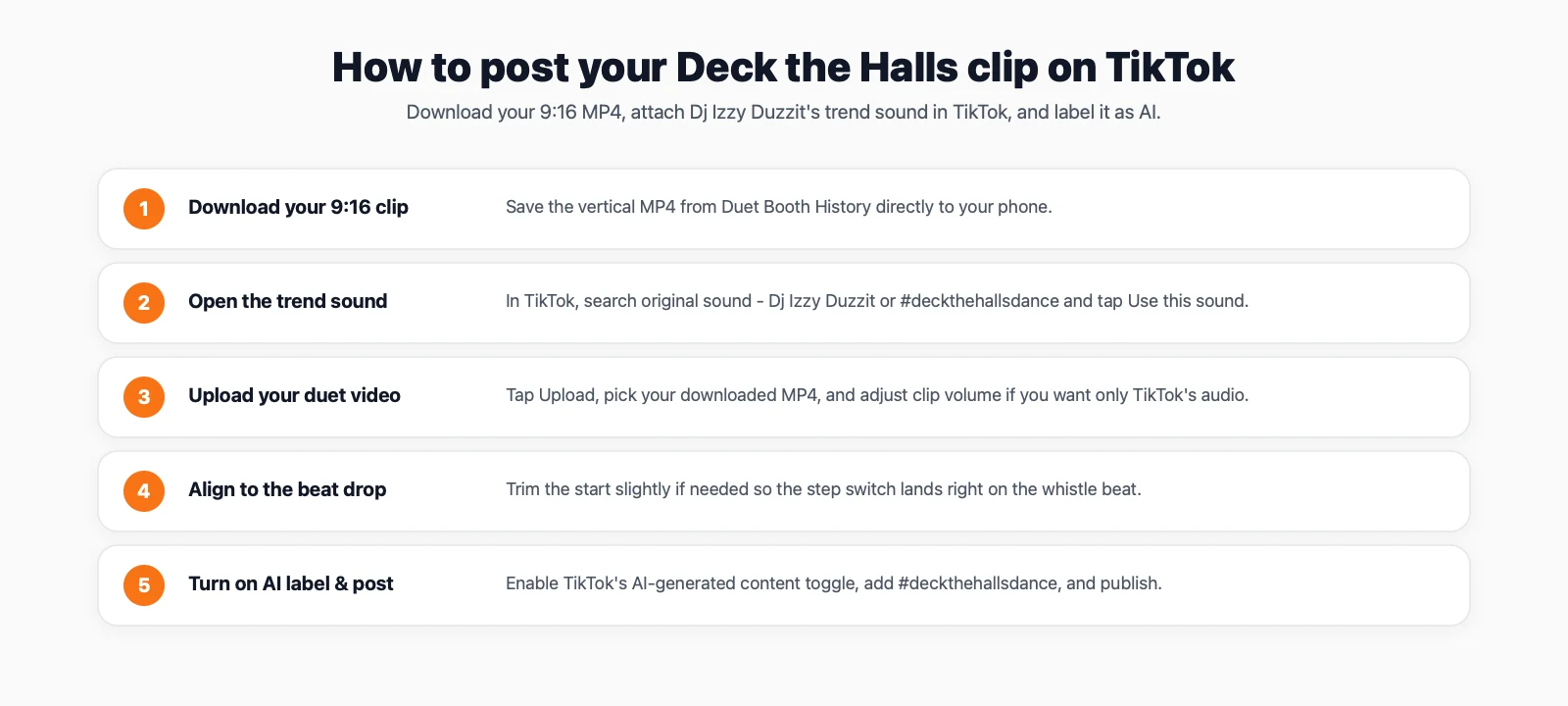
When publishing on TikTok, download your finished Deck the Halls dance video from History, search for original sound - Dj Izzy Duzzit or #deckthehalls, and tap Use this sound. Upload your 9:16 clip, adjust the original clip volume in TikTok if needed so the platform track plays cleanly, and turn on TikTok's AI-generated content label before posting.
CapCut templates vs. two-photo Deck the Halls dance AI
Several official CapCut templates around the holiday dance—such as 1-clip vertical templates—are filming and editing layouts that expect you to record a video clip yourself rather than upload still photos.
A browser-based two-photo Deck the Halls dance AI workflow lets you start directly from two still portraits without filming choreography, downloading a template pack, or writing a prompt. Either way, attach the official TikTok sound inside the app when you publish and review both faces before sharing.
Frequently asked questions
What song is used in the Deck the Halls dance trend?
The viral Deck the Halls dance trend uses original sound - Dj Izzy Duzzit on TikTok, first posted on December 4, 2025 as Deck the Halls x Blow the Whistle. It is separate from other holiday remixes such as DJ Vic's remix or traditional carol tracks.
Do I need two photos to make a Deck the Halls dance AI video?
Yes. Upload two separate photos of consenting adults—one for the Left dancer and one for the Right dancer. Full-body or waist-up portraits with clear faces work best for a vertical holiday pajama duet.
How should I add the trend sound when posting my Deck the Halls dance video?
Duet Booth does not grant music licenses for social tracks. Download your vertical 9:16 MP4 from History, then select Dj Izzy Duzzit's original sound directly inside TikTok using Use this sound, adjusting the clip's volume in the editor if you want only the platform audio.
What length and aspect ratio work best for TikTok?
Every Deck the Halls dance AI video exports in vertical 9:16 format. Fifteen seconds is the default to match the 14 to 15-second 2026 TikTok trend window, while 5 and 10 seconds are available for shorter clips.
Is this an official TikTok, CapCut, or Dj Izzy Duzzit tool?
No. This is an unofficial creative tool on Duet Booth and is not affiliated with, endorsed by, or connected to Dj Izzy Duzzit, TikTok, CapCut, or any creator in the original trend. Only upload photos you have permission to use.
Related scenes
Turn two photos into a Deck the Halls dance video
Upload two clear photos, pick the holiday living room or original kitchen background, and create a vertical 9:16 Deck the Halls dance clip in matching pajamas.