
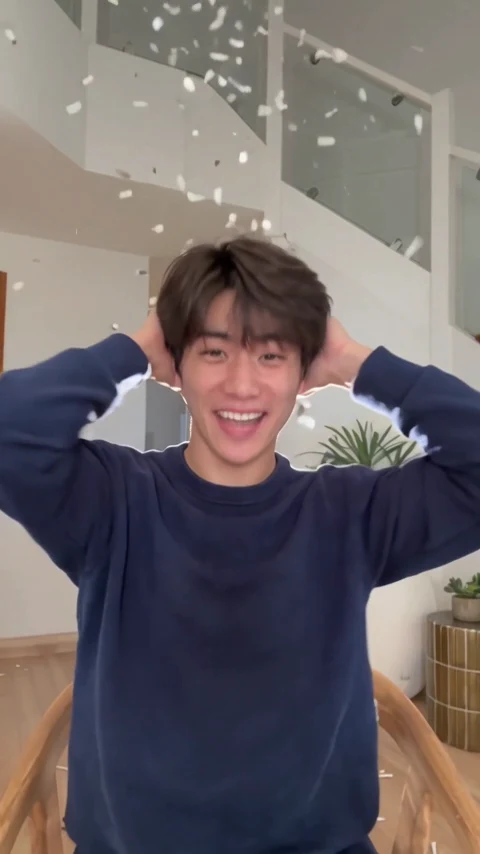
Boom Clap Trend AI Video Generator
Upload one clear portrait to recreate the viral Boom Clap confetti burst, beat-synced gestures, and blown kiss in vertical 9:16.
- 1 photo
- Solo performer
- 5 or 10 s
- 9:16 vertical
- 480p, 720p or 1080p
- Uses credits
Results affected by photos that do not meet these requirements are not eligible for a refund.
Use photos you have permission to upload.
Boom Clap Confetti AI scene preview
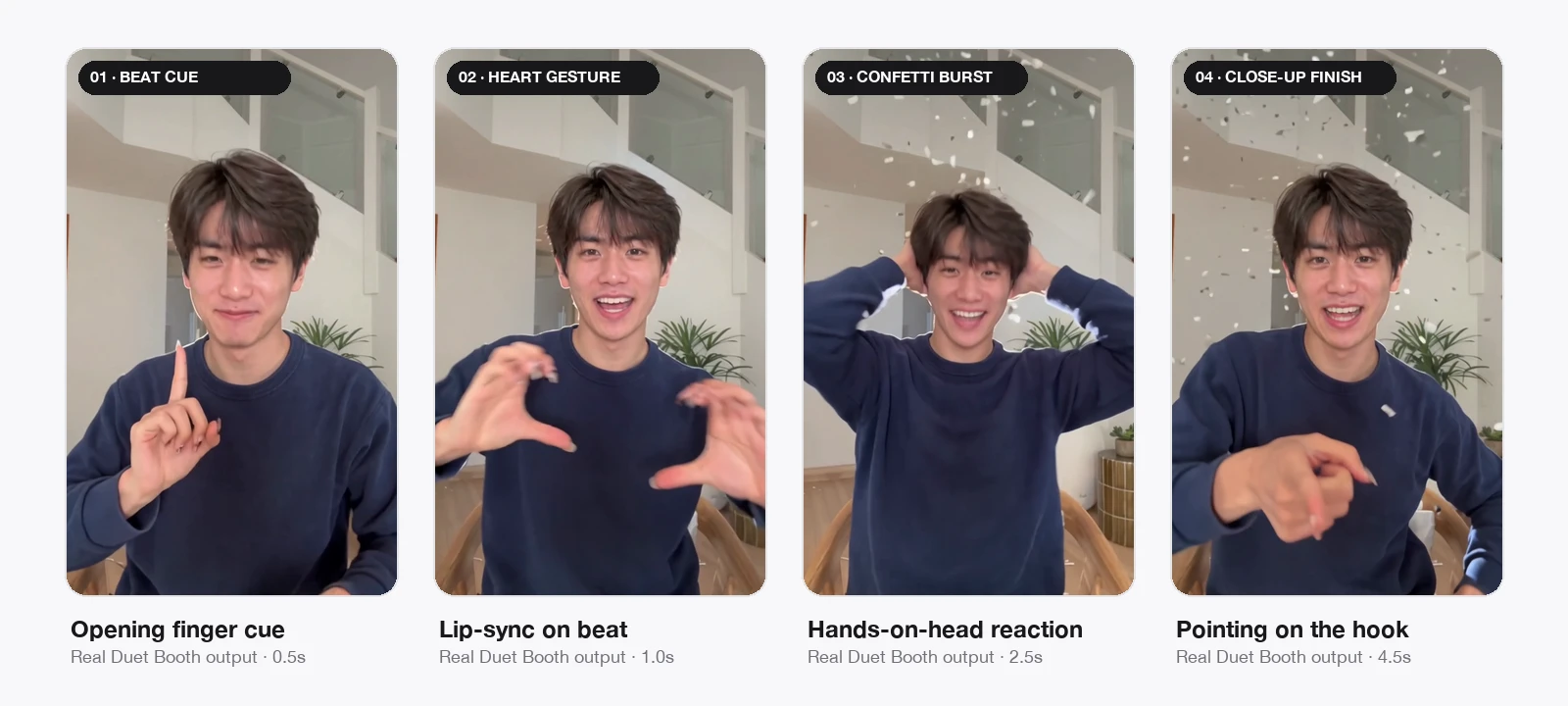
The short answer
The Boom Clap Trend—also searched as the Boom Clap Confetti Trend or Boom Clap Confetti AI video—turns one clear portrait into a vertical 9:16 performance clip built around the viral chorus beat of Charli XCX’s "Boom Clap." Instead of buying party poppers, timing an off-camera helper, and sweeping up piles of foil afterward, you upload one photo of yourself, a consenting friend, or a pet, choose 5 or 10 seconds and your resolution, and create the clip directly in your browser. The 10-second default captures the full beat sequence: finger gestures, surprised hands-on-head reactions, two bursts of white and gold confetti, and the signature blown kiss at the end. Preview and download your MP4 in History, and enable your platform’s AI-generated label when posting. Duet Booth is an unofficial creative tool and is not affiliated with Charli XCX, CapCut, TikTok, or Instagram.
What is the Boom Clap Trend (and Boom Clap Confetti AI)?
The Boom Clap Trend surged across TikTok, Instagram Reels, and YouTube Shorts in November 2026. In the original live-action challenge, a creator stands close to a vertical phone camera lip-syncing the chorus of Charli XCX’s 2014 hit "Boom Clap." Right on the heavy "boom" beat, a friend hiding just out of frame fires a confetti cannon or party popper so metallic paper showers across the frame while the performer laughs and keeps singing.
Real-life takes quickly produced funny behind-the-scenes fails—poppers misfiring, bursting too early, or leaving confetti stuck everywhere for days. That sparked the Boom Clap Confetti AI format: one-photo vertical video generators that recreate the exact rhythmic choreography without physical props. Viewers search for it under several names, including Boom Clap Trend, Boom Clap Confetti Trend, Boom Clap AI video generator, Boom Clap confetti cannon AI, and Spanish CapCut variants like "Boom clap estilo de lujo."
Duet Booth brings this single-photo format straight into the browser so you do not need to hunt for broken CapCut template links or stitch clips manually. You keep the clean vertical framing, rhythmic hand gestures, double confetti shower, and blown-kiss finale while placing your uploaded subject right at the center of the scene.
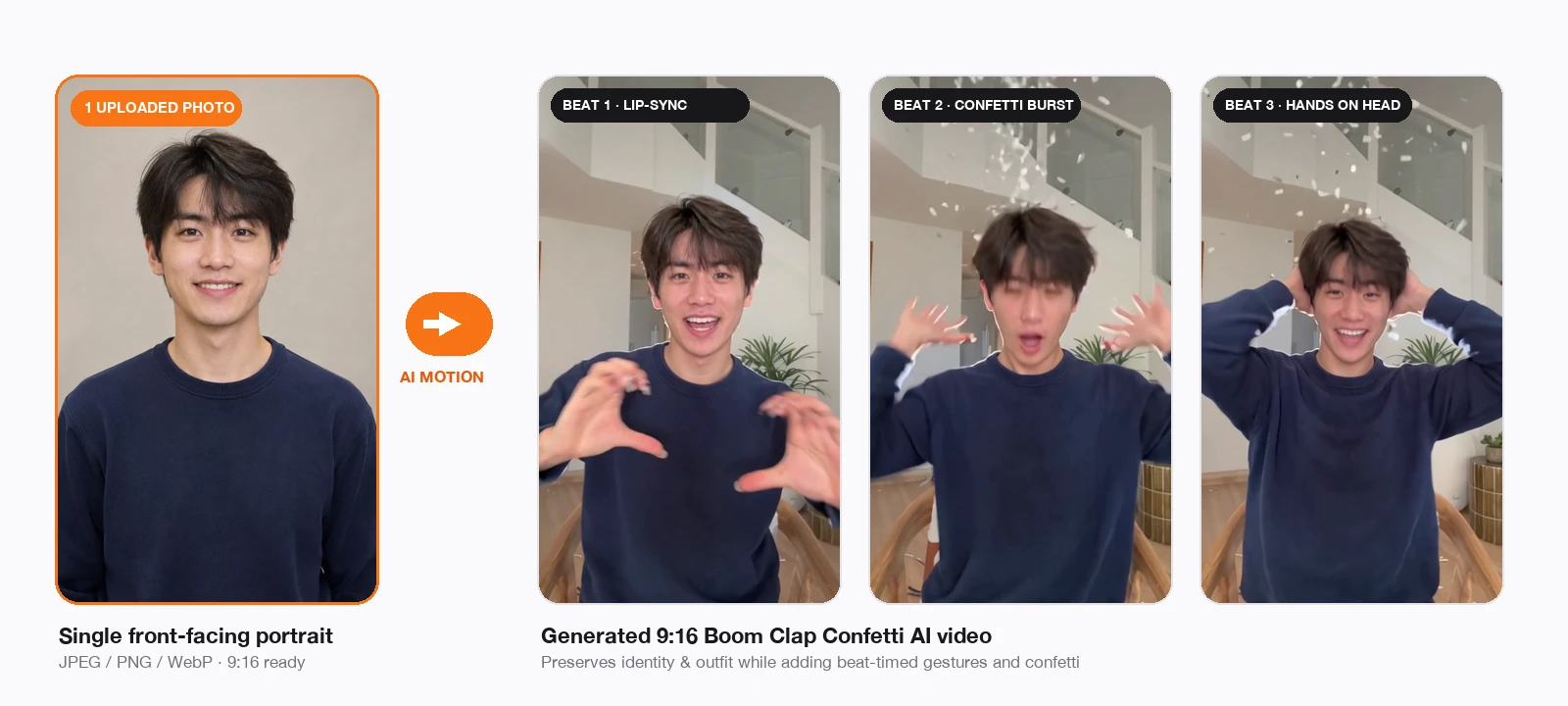
How the 4-beat confetti sequence plays out
In the full 10-second Boom Clap Confetti AI clip, the pacing moves through four clear moments: an opening finger-point beat cue, a hands-on-head reaction as the first wave of white confetti rains down, a rhythmic lip-sync bridge with playful hand gestures, and a second gold confetti burst that transitions into a smiling two-hand blown kiss toward the camera. Choosing the 5-second clip focuses on the opening beat and the first white confetti burst for a faster, lighter test.
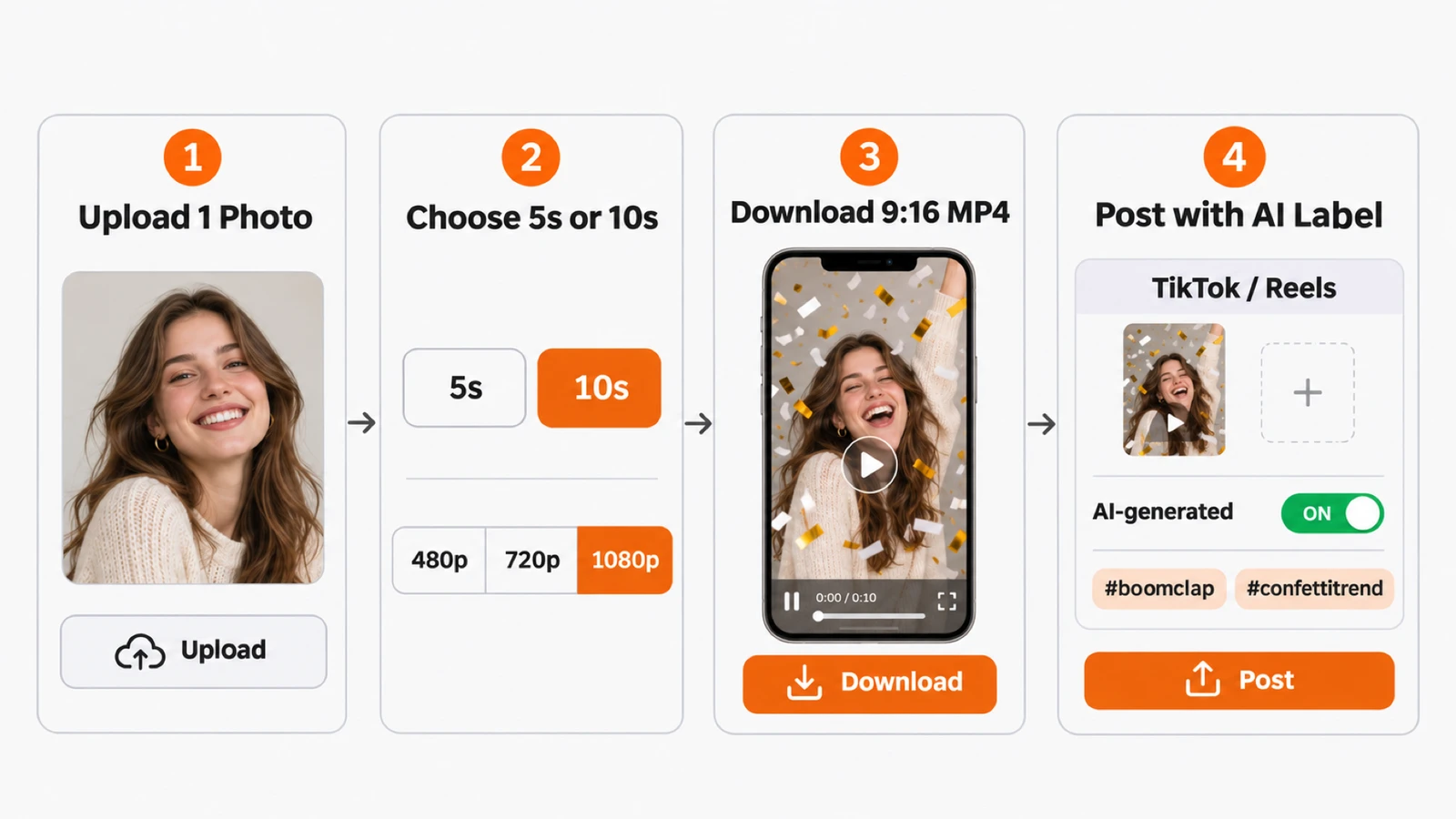
How to make a Boom Clap Trend AI video from one photo
- Upload one clear, front-facing chest-up or waist-up photo of yourself, a consenting friend, or a pet in the Lead performer slot.
- Keep the default 10-second duration for the full double confetti burst and blown kiss, or pick 5 seconds for a quick first preview.
- Select 480p, 720p, or 1080p and review the live credit quote shown directly in the workspace.
- Click generate and let the video render in the background—you can safely switch tabs while it processes.
- Open History under the same account to preview, download your vertical 9:16 MP4, and share it with an AI-generated label.
Use photos you have permission to use. Output quality varies with photo clarity and lighting. Enable the AI-generated content label when sharing on social platforms.
Which photo works best for a Boom Clap Confetti AI video?
Upload one sharp, front-facing photo in JPEG, PNG, or WebP format up to 10 MB. A chest-up or waist-up portrait with visible shoulders, clear eyes, and even lighting gives the video model clean details to carry through quick hand gestures, laughing expressions, and falling confetti.
Simple, contrasting outfits and uncluttered backgrounds help your subject stand out once white and gold confetti fills the air. Avoid group shots, sunglasses, side profiles, heavy motion blur, or harsh backlighting that hides facial structure.
You can also upload a clear front-facing photo of a pet or stylized character, because the workflow preserves the subject’s natural appearance while adapting the beat-timed gestures. Always make sure you have permission to use any person’s photo before creating or sharing a clip.
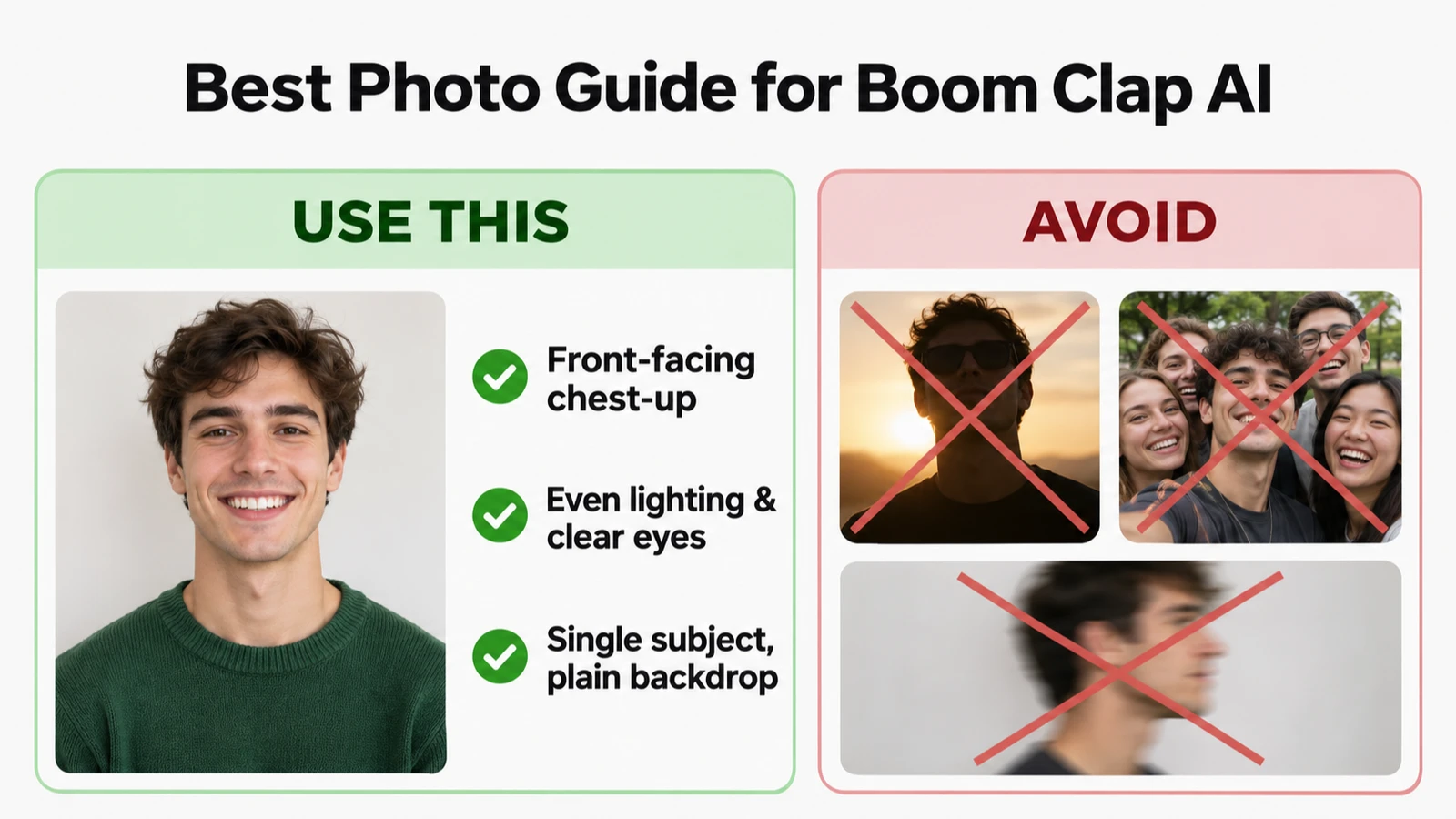
Portrait framing checklist before you generate
Center the face in the upper half of the frame, keep hands away from the face in the source photo, and use natural daylight or soft indoor lighting. Checking the uploaded preview before clicking generate saves credits and helps keep identity stable across both confetti bursts.
Choosing 5 or 10 seconds and resolution for your 9:16 clip
Every Boom Clap Confetti AI clip renders in vertical 9:16 aspect ratio designed for TikTok, Instagram Reels, and YouTube Shorts, so you never have to crop away the confetti shower or the hands-on-head reaction.
The workspace defaults to 10 seconds because that duration covers the complete Boom Clap Trend arc—from the opening beat and white confetti drop through the gold confetti burst and the blown-kiss ending. If you want to test how a specific portrait, outfit, or pet photo looks first, switch to 5 seconds at 480p for a lower credit cost before rendering your 10-second 720p or 1080p version.
Exact credit pricing updates live inside the workspace whenever you toggle duration or resolution (480p, 720p, or 1080p), so you always see the credit cost before confirming a task.
Tips for posting your Boom Clap clip on TikTok and Reels
After downloading your 9:16 MP4 from History, upload it directly to TikTok, Instagram Reels, or YouTube Shorts. Pair it with the platform’s official Boom Clap sound if your region or account requires licensed in-app audio, turn on the AI-generated content disclosure toggle, and use clear discovery tags such as #boomclap, #boomclaptrend, #confettitrend, and #confetticannon.
Frequently asked questions
What is the Boom Clap Confetti Trend on TikTok and Reels?
The Boom Clap Confetti Trend is a short vertical lip-sync format set to the chorus of Charli XCX’s "Boom Clap." Right on each heavy "boom" beat, white and gold confetti bursts across the frame while the performer reacts with hands on their head and finishes with a blown kiss.
How many photos do I need for a Boom Clap Trend AI video?
You only need one clear, front-facing photo. A well-lit chest-up or waist-up portrait of a single person, pet, or character gives the cleanest framing for the lip-sync gestures, confetti bursts, and close-up ending.
Should I choose 5 seconds or 10 seconds?
Choose 10 seconds (the default) if you want the complete Boom Clap Trend arc with both the white and gold confetti bursts plus the blown kiss. Choose 5 seconds if you want a quick, lower-credit preview covering the opening beat and the first white confetti drop.
Do I need a CapCut template link to make this trend?
No. While many tutorials point to CapCut templates that can expire or vary by region, Duet Booth runs the single-photo Boom Clap Confetti AI workflow directly in your browser and saves your finished 9:16 MP4 to History.
Is this tool affiliated with Charli XCX, TikTok, or CapCut?
No. Duet Booth is an independent AI video generator and is not affiliated with, endorsed by, or connected to Charli XCX, CapCut, TikTok, or Instagram. Downloading a generated clip does not grant commercial music or third-party likeness rights, so follow platform audio rules and label AI content when sharing.
Related scenes
Make your Boom Clap confetti clip from one photo
Upload one clear portrait, pick 5 or 10 seconds, and create a vertical 9:16 Boom Clap Trend AI video in Duet Booth.