
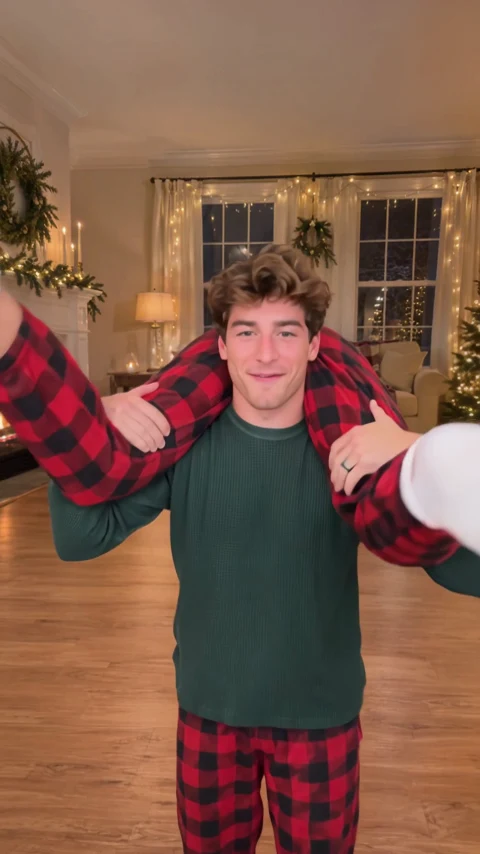
Shoulder Carry Flip AI Video Generator
Upload two solo portraits—and an optional room photo—to recreate the viral 180-degree shoulder carry spin and face reveal in vertical 9:16.
- 2 photos + optional room
- Carrier & Rider duo
- 5 or 10 s
- 9:16 vertical
- 480p, 720p or 1080p
- Uses credits
Results affected by photos that don’t meet these requirements are not eligible for a refund.
Leave the background empty to use a cozy holiday living room.
Use photos you have permission to upload.
The short answer
Shoulder Carry Flip AI—also called the Cause I’m the One trend or Christmas Pajama Flip—turns two solo photos (Carrier and Rider) into a vertical 9:16 duo clip. Leave the optional Background slot empty to use Duet Booth’s warm evening holiday living room, choose 5 or 10 seconds, and export your MP4 in History.
Shoulder Carry Flip AI scene preview
What is the Shoulder Carry Flip AI (Cause I’m the One) trend?
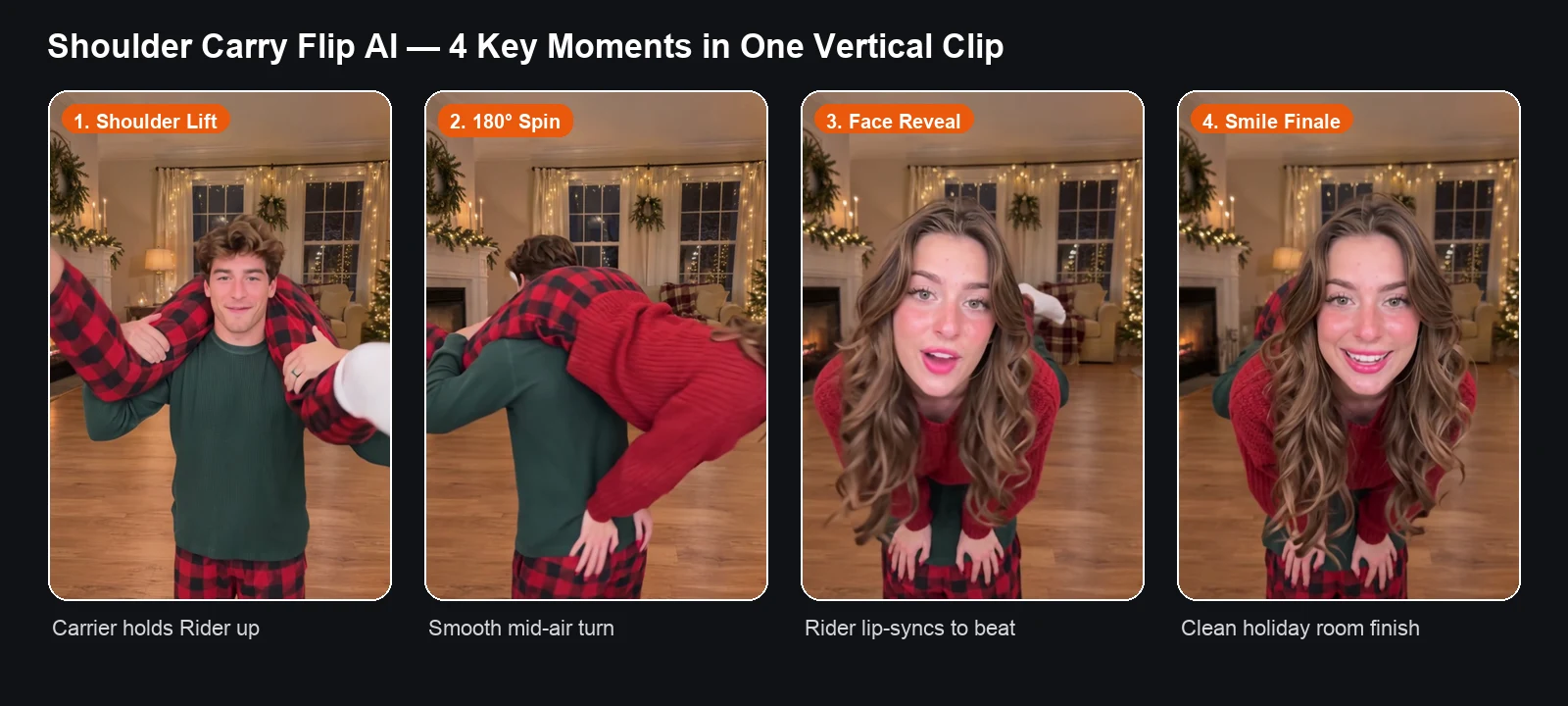
The Shoulder Carry Flip trend took over TikTok, Instagram Reels, and YouTube Shorts with couples, best friends, and holiday pajama creators filming a playful fireman’s-carry reveal. Set to the sped-up hook of Mozzy and Iamsu!’s "Famous (I’m the One)," one person holds their partner across their shoulders while facing the camera, spins 180 degrees, and leans forward so the rider’s face pops into close-up right on the beat.
Filming the stunt in real life takes balance, ceiling space, and multiple retakes—especially when creators want matching Christmas pajamas, clean lighting, or a festive living room backdrop. That pushed viewers toward Shoulder Carry Flip AI generators that recreate the smooth spin, rhythmic lip-sync, and comedic reveal from two everyday portraits without anyone having to lift a friend off the floor.
Unlike the separate mirror-pose couple carry meme, the Shoulder Carry Flip AI workflow in Duet Booth is built specifically around the 180-degree shoulder-carry spin and rider face reveal. Both subjects keep their own faces, hairstyles, and outfits from start to finish inside a cohesive indoor space.
How the 180-degree shoulder carry reveal unfolds
The full 10-second Shoulder Carry Flip AI clip covers the complete arc from the opening shoulder lift through the 180-degree spin, close-up rider lip-sync, and upbeat finishing reaction. Switching to the 5-second option focuses on the core lift, smooth spin, and rider face reveal—ideal for a faster, lower-credit preview before rendering a longer clip.
How to make a Shoulder Carry Flip AI video from two photos
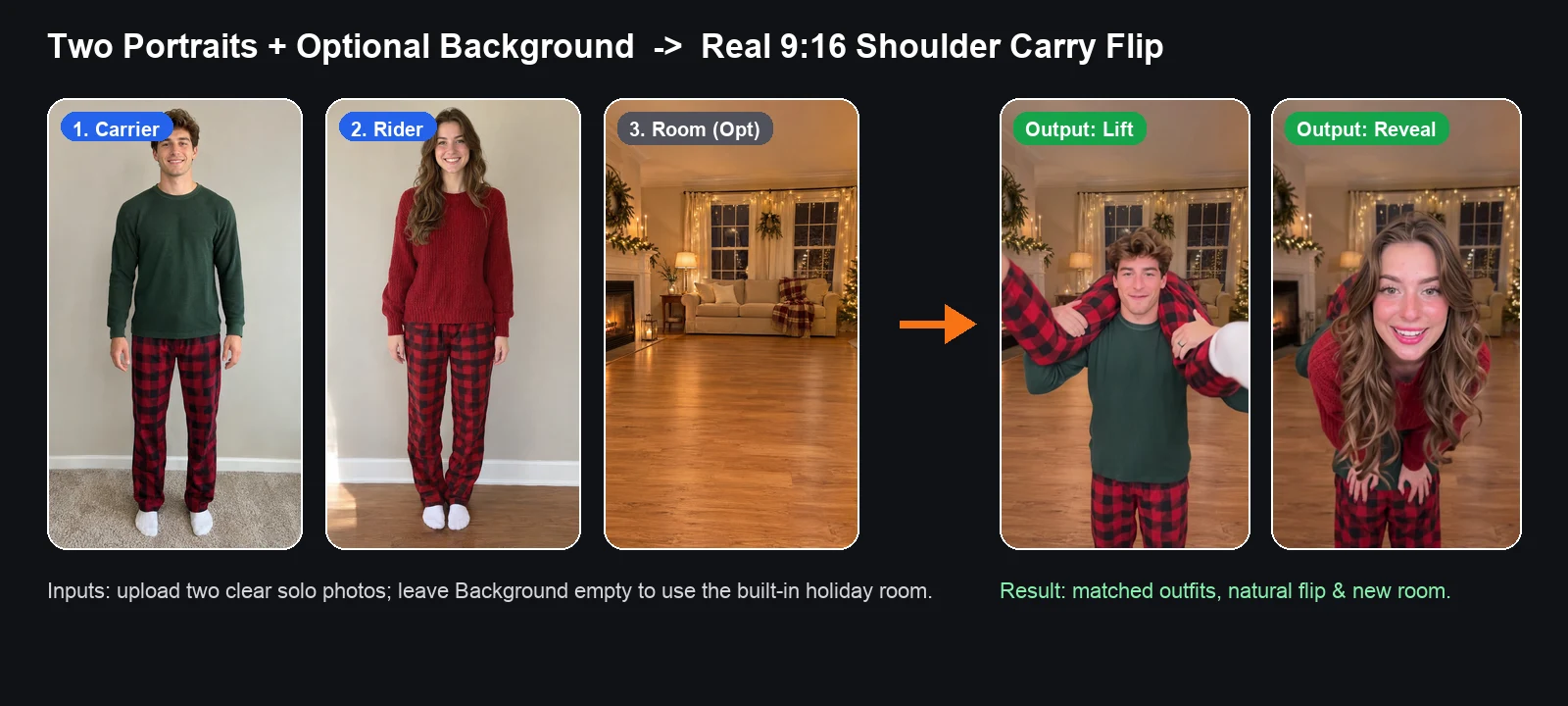
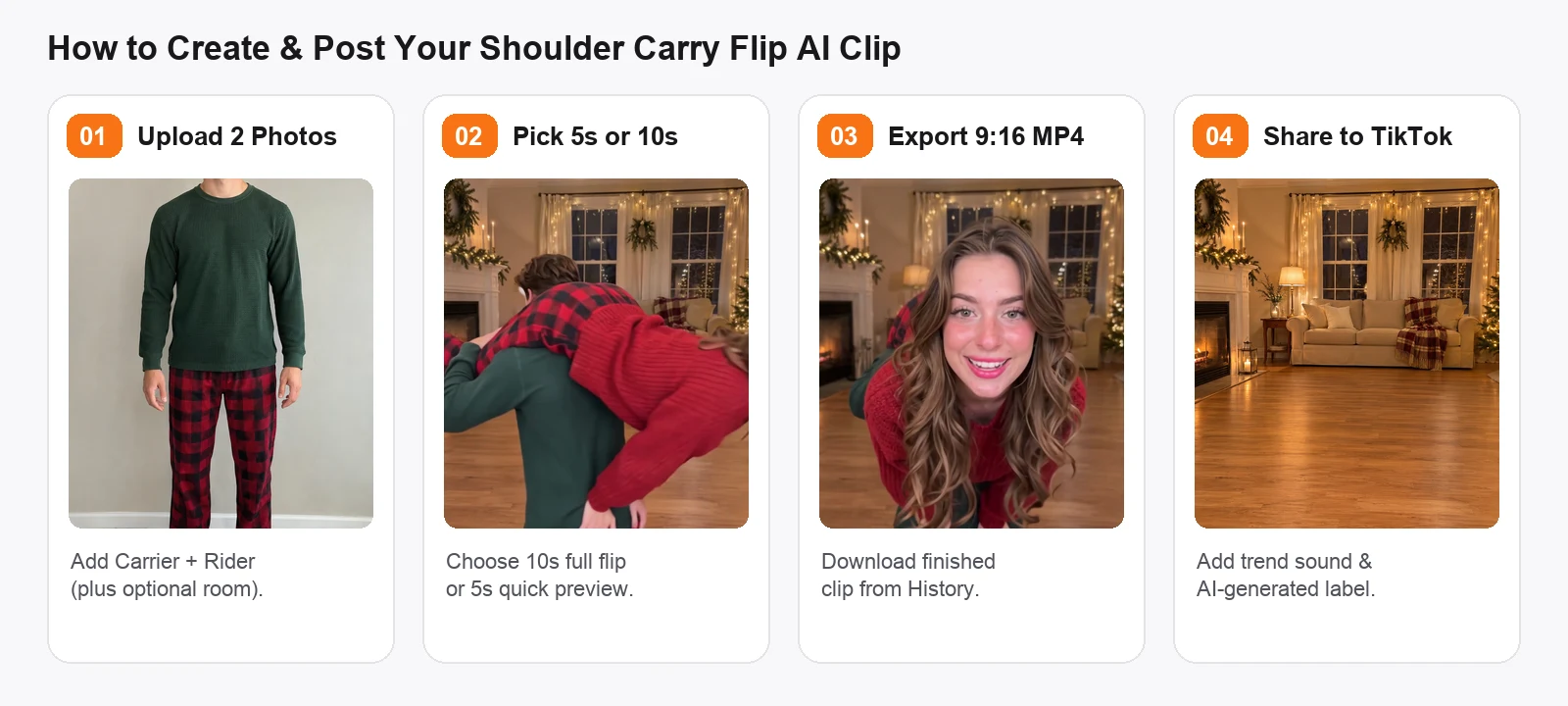
- Upload Carrier and Rider photos: Add a clear solo photo of the person doing the lift in the Carrier slot and a sharp portrait of the second person in the Rider slot.
- Set or skip the room background: Leave the optional Background slot blank to use the built-in evening holiday living room, or upload your own empty 9:16 room photo.
- Pick 5s or 10s duration: Keep the 10-second default for the complete Shoulder Carry Flip arc, or select 5 seconds for a quick first preview.
- Confirm resolution and credits: Choose 480p, 720p, or 1080p and verify the live credit quote displayed inside the workspace before clicking generate.
- Export and share from History: Open History under the same account to preview, download your vertical 9:16 MP4, and share it with an AI-generated label.
Use photos you have permission to use. Output quality varies with photo clarity and lighting. Enable the AI-generated content label when sharing on social platforms.
Which photos work best for Carrier, Rider, and optional Background?
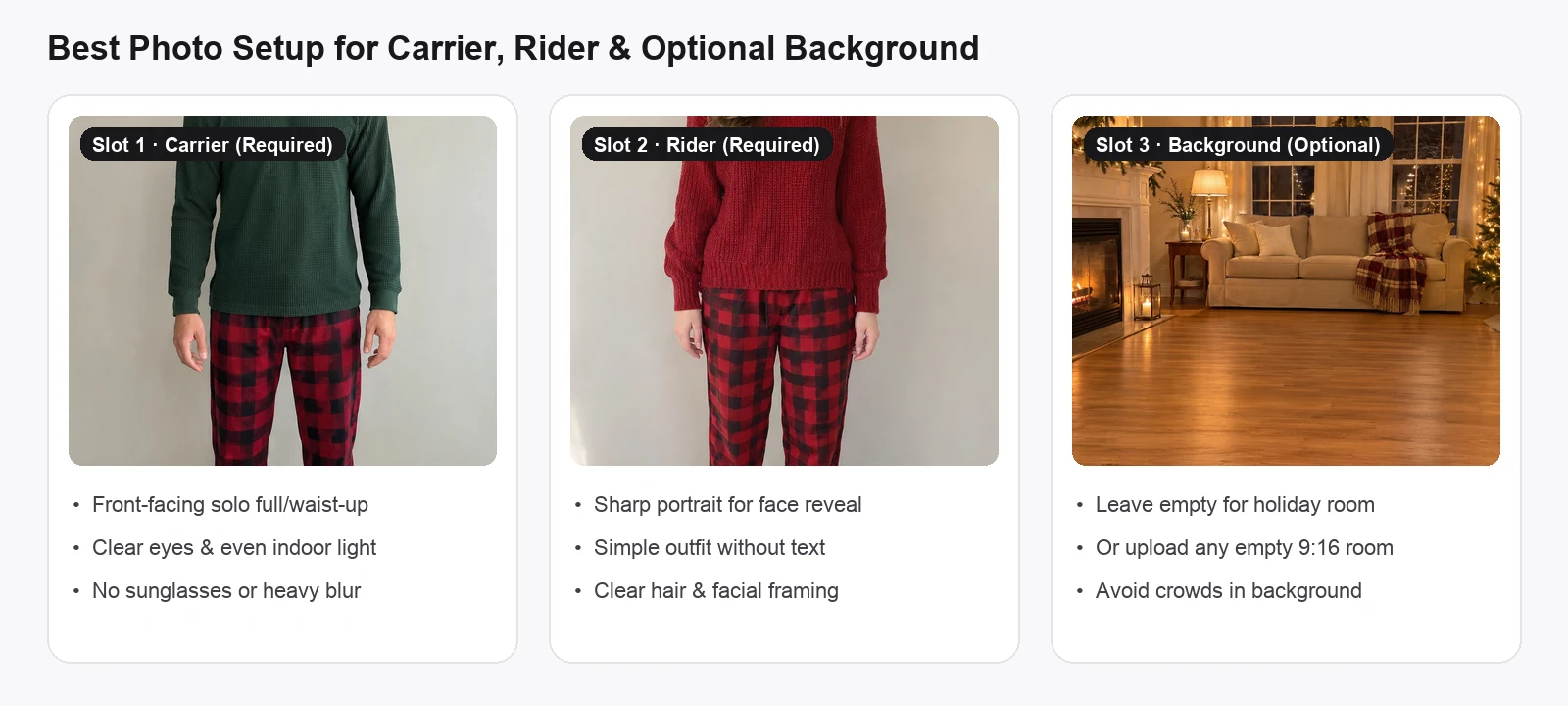
Upload two sharp solo photos in JPEG, PNG, or WebP format up to 10 MB each: put the person lifting in the Carrier slot and the person revealed after the spin in the Rider slot. Front-facing waist-up or full-body shots with clear eyes, natural indoor light, and visible clothing give the video model reliable structure for both the lift and the close-up lip-sync.
Matching seasonal outfits—such as plaid Christmas pajamas, cozy knit sweaters, or coordinated streetwear—look especially sharp once the camera swings around to the rider. Avoid group photos, sunglasses, heavy motion blur, or harsh backlighting that hides facial details.
The third Background slot is completely optional. Leave it empty to use Duet Booth’s built-in warm evening holiday living room, or upload an uncluttered vertical 9:16 photo of your own living room, studio, or cozy indoor space. Always make sure you have permission to use every person’s photo before generating or sharing a clip.
Two-photo framing checklist before you generate
Use one person per portrait slot, keep hands away from faces, and check that both photos have crisp focus. If you upload a custom room photo, choose an empty floor area in the center so the duo stands naturally in perspective without overlapping furniture.
Choosing 5 or 10 seconds, resolution, and posting your 9:16 clip
Every Shoulder Carry Flip AI clip exports in vertical 9:16 aspect ratio built for TikTok, Instagram Reels, and YouTube Shorts, so neither the shoulder lift nor the close-up rider reveal gets cropped on mobile screens.
The workspace defaults to 10 seconds so your duo gets the complete opening lift, 180-degree spin, lip-sync reveal, and closing reaction. If you want to test outfits, pairing order, or a custom room photo first, pick 5 seconds at 480p for 16 credits before upgrading to 10 seconds at 720p or 1080p.
| Duration | What is included | 480p | 720p | 1080p | Best for |
|---|---|---|---|---|---|
| 5-second clip | Opening shoulder lift, 180-degree spin, and rider face reveal | 16 credits | 32 credits | 64 credits | Quick outfit, pairing, or custom room preview |
| 10-second clip (default) | Full lift, 180-degree spin, close-up rider lip-sync, and closing reaction | 32 credits | 64 credits | 128 credits | Complete TikTok, Reels, and Shorts trend post |
Tips for sharing your Shoulder Carry Flip clip on TikTok and Reels
Download your vertical 9:16 MP4 from History and upload it to TikTok, Instagram Reels, or YouTube Shorts. Pair it with the platform’s official "Cause I’m the One" audio track if your region requires in-app licensed sound, switch on the AI-generated content label, and add relevant tags like #shouldercarryflip, #causeimtheone, and #christmaspajamastrend.
Frequently asked questions
What is the Shoulder Carry Flip AI (Cause I’m the One) trend?
The Shoulder Carry Flip trend is a vertical two-person reveal clip set to the sped-up "cause I’m the one" hook. One person holds the other across their shoulders, spins 180 degrees, and reveals the rider lip-syncing to the camera—often in matching holiday pajamas.
How many photos do I need for a Shoulder Carry Flip AI video?
You need two solo photos—one for the Carrier and one for the Rider—plus an optional third photo if you want a custom room background. Leaving the background slot empty automatically places your duo in a warm evening holiday living room.
Should I pick 5 seconds or 10 seconds?
Pick 10 seconds (the default) for the full shoulder lift, 180-degree spin, rider lip-sync, and closing reaction. Pick 5 seconds at 480p when you want a faster, lower-credit preview focused on the lift, spin, and face reveal.
Can I use my own living room or holiday background photo?
Yes. Upload any clean vertical 9:16 indoor room photo in the optional Background slot, and Duet Booth integrates both subjects into your space’s lighting and perspective. Leave it blank anytime to use the default holiday living room.
Is Duet Booth affiliated with Mozzy, Iamsu!, CapCut, or TikTok?
No. Duet Booth is an independent AI video tool and is not affiliated with, endorsed by, or connected to Mozzy, Iamsu!, CapCut, TikTok, or Instagram. Downloading a clip does not grant commercial music or third-party likeness rights, so follow platform audio rules and enable AI labels when posting.
Related scenes
Make your Shoulder Carry Flip AI video from two photos
Upload Carrier and Rider portraits, keep the holiday living room or add your own, and render a 9:16 Shoulder Carry Flip clip in Duet Booth.